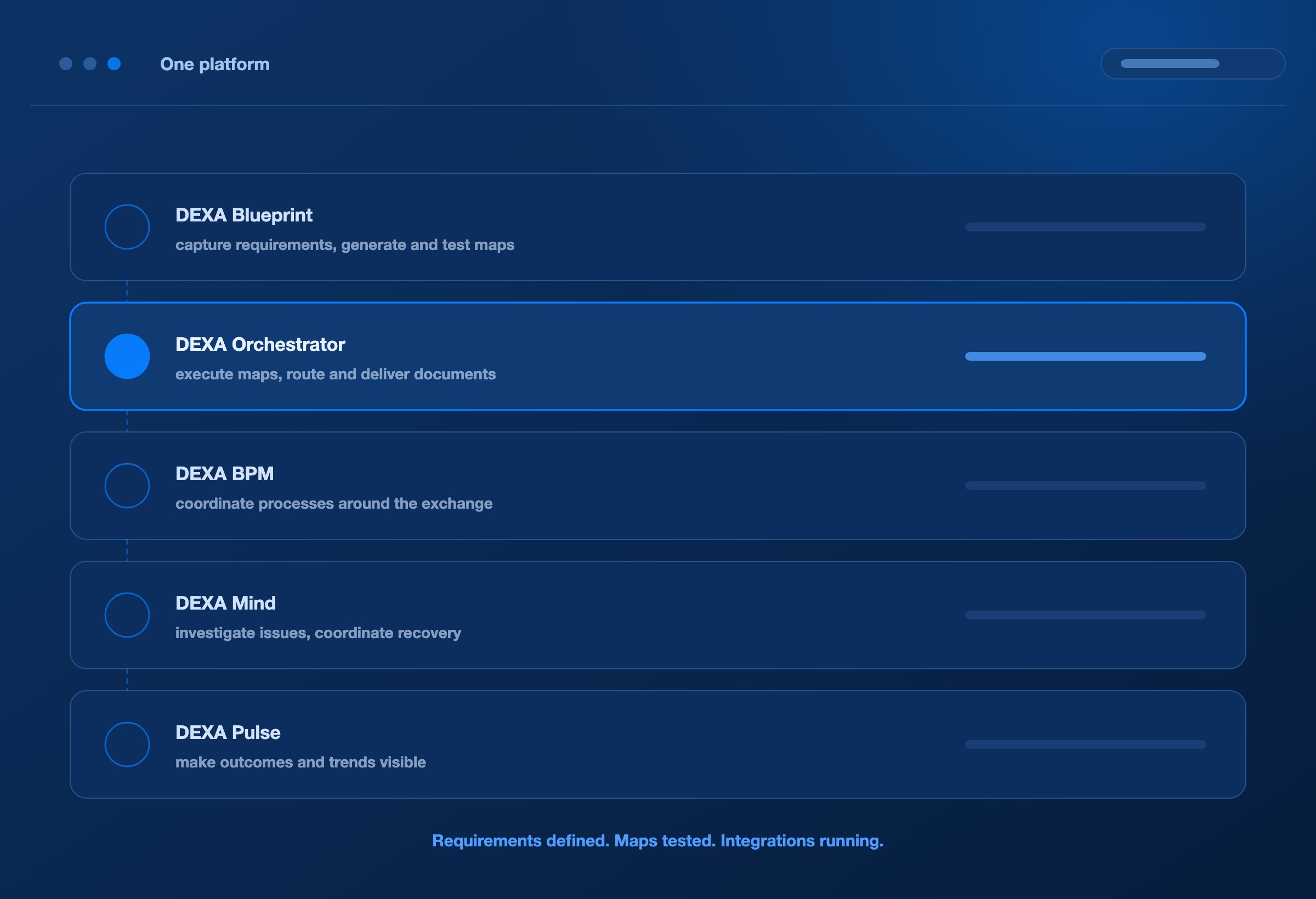
Your integrations, running. Your business, moving.
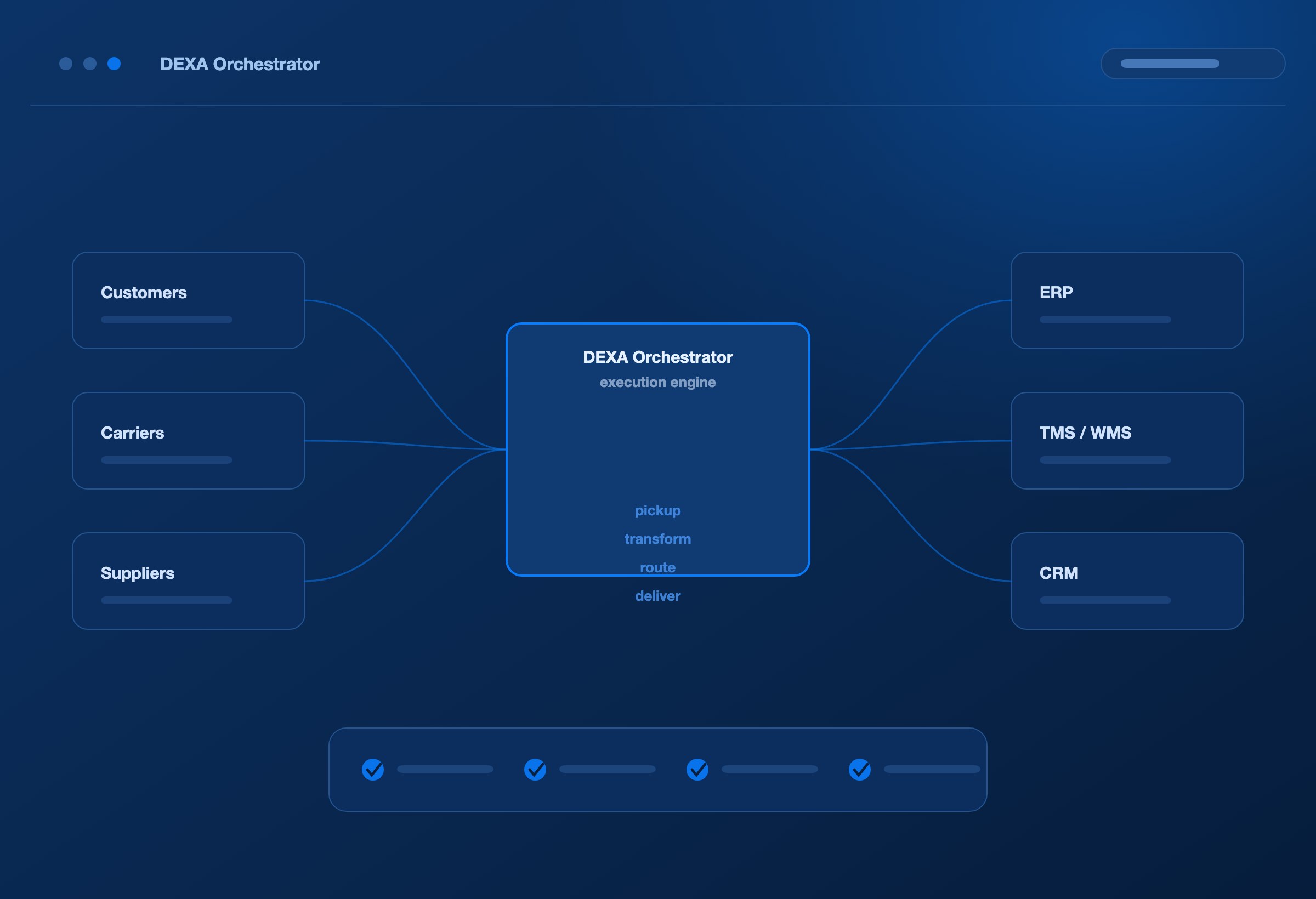
DEXA Orchestrator is the cloud-native engine that runs your EDI integrations once they are built. It connects to trading partners over AS2, SFTP, HTTPS, REST APIs and VAN, routes each document to its destination, records what happened at every stage, and scales as your partner network grows.
DEXA Blueprint builds and tests your maps. DEXA Orchestrator puts them to work.
A working map is the beginning. Reliable execution keeps the business moving.
An order needs to reach the application that fulfils it. A shipment update needs to reach the customer waiting for it. An invoice needs to reach the system that processes it.
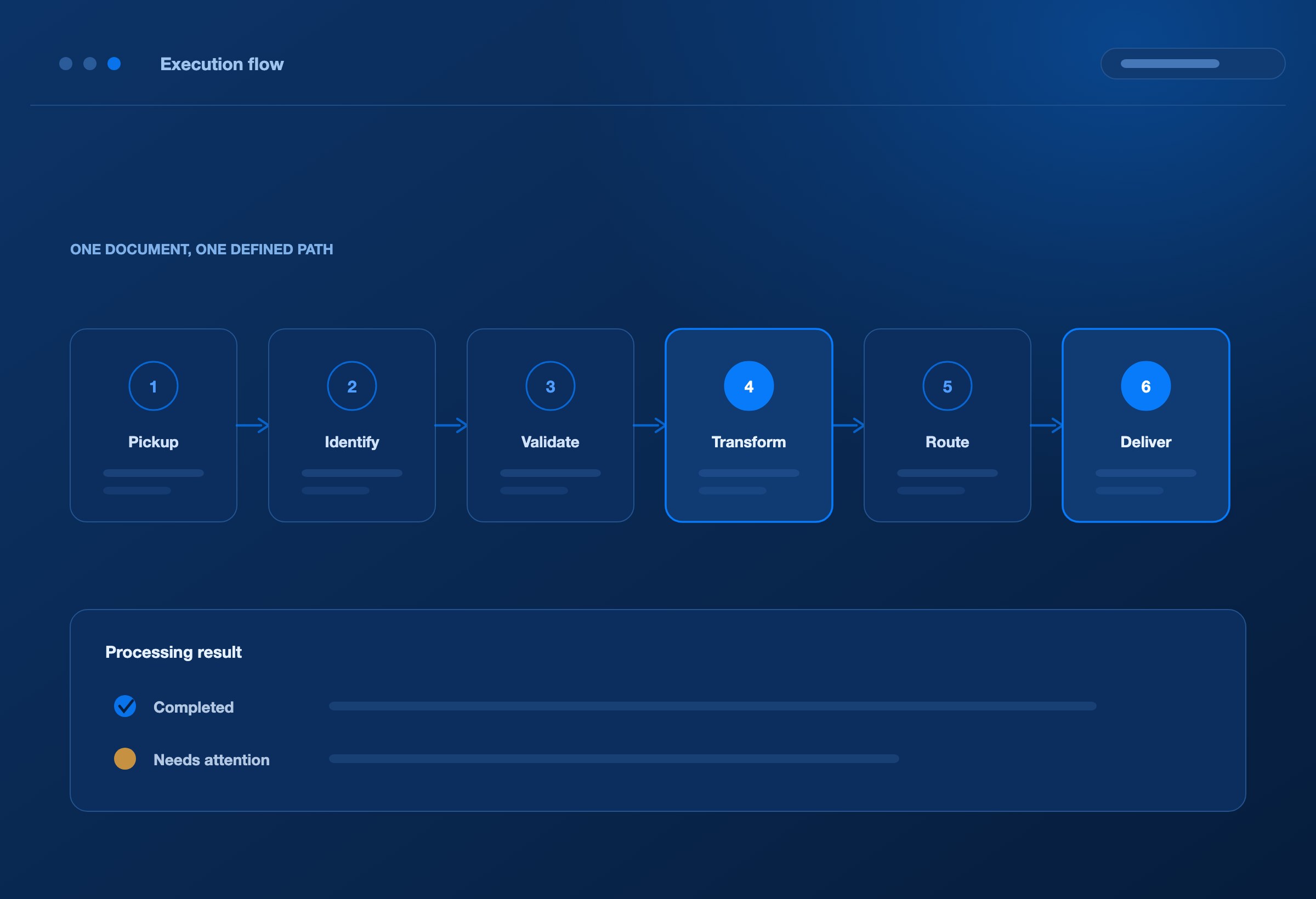
DEXA Orchestrator brings document pickup, identification, validation, transformation, routing, and delivery into a coordinated execution flow.
Each integration follows its configured partner requirements, deployed mapping logic, and destination rules. Processing results provide the evidence your team needs to understand what completed and what requires attention.
From the first connection to the final delivery, give every document a defined path.
CONNECTIVITY
Connect on your partners’ terms.
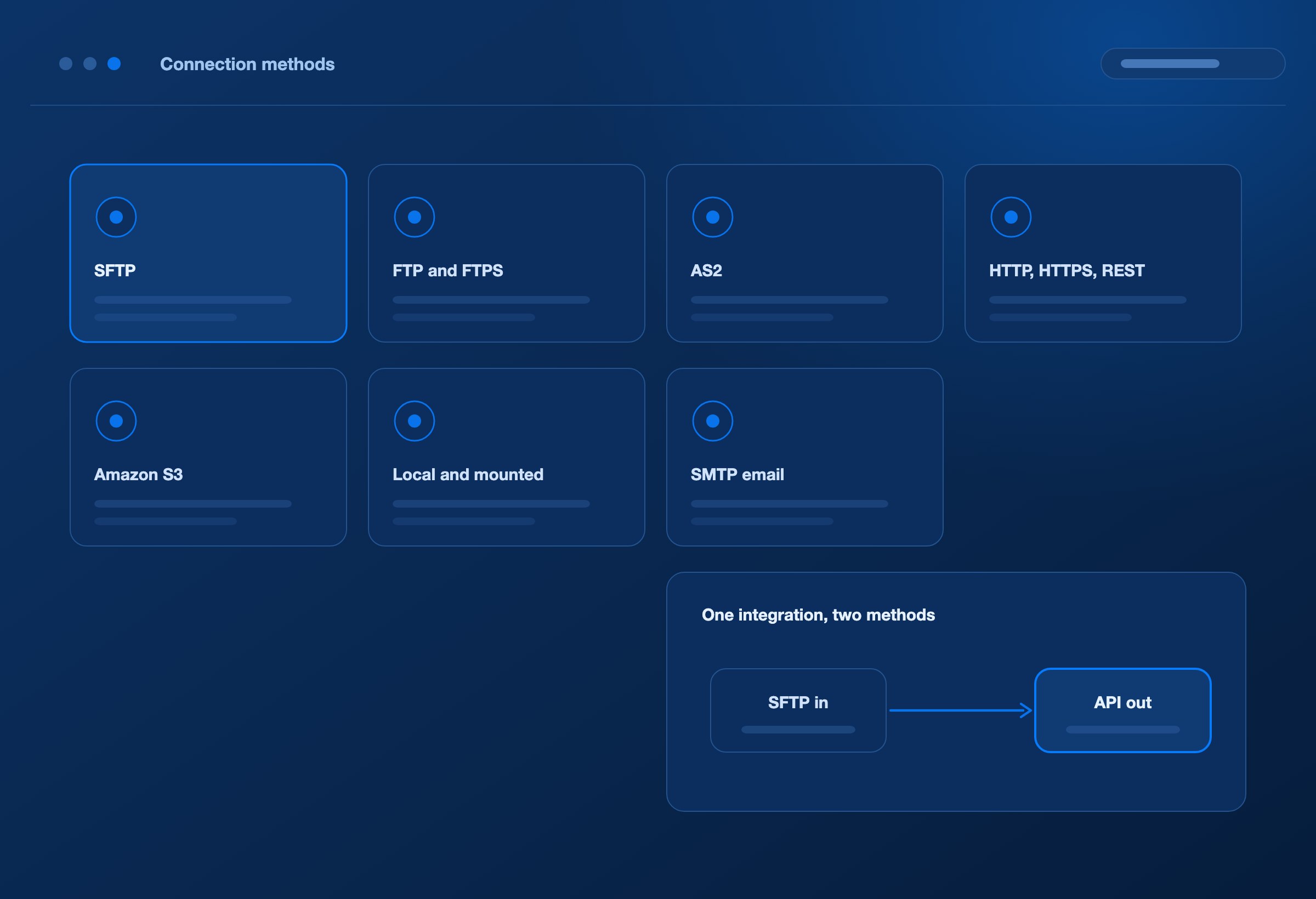
Your customers, carriers, suppliers, and internal applications use different ways to exchange information. DEXA Orchestrator supports multiple connection methods within the same integration environment.
Connection method / What it enables
SFTP
Collect and deliver files through configured secure file-transfer connections.
FTP and FTPS
Support existing FTP exchanges and encrypted FTPS connections, including explicit and implicit TLS.
AS2
Exchange EDI documents with signing, encryption, and message disposition notifications according to partner configuration.
HTTP, HTTPS, and REST APIs
Retrieve and deliver application data through configured endpoints, with supported authentication options including OAuth 2.0 client credentials.
Amazon S3 and compatible storage
Collect and deliver documents through configured object-storage locations.
Local folders and mounted file shares
Exchange files with applications through accessible filesystem locations.
SMTP email delivery
Send configured outbound documents to designated recipients.
Source and destination connections can use different methods. Receive a partner document through SFTP, transform it, and deliver the result through an application API.
Connect ERP, TMS, WMS, CRM, and custom applications through their supported APIs and file interfaces. Application-specific endpoints, authentication, and data requirements remain part of the integration setup.
One integration can bridge different systems, formats, and connection methods.
TRANSACTION COVERAGE
Standard transactions. Partner-specific requirements. Custom business exchanges.
A transaction standard defines a common structure. Each partner adds its own requirements.
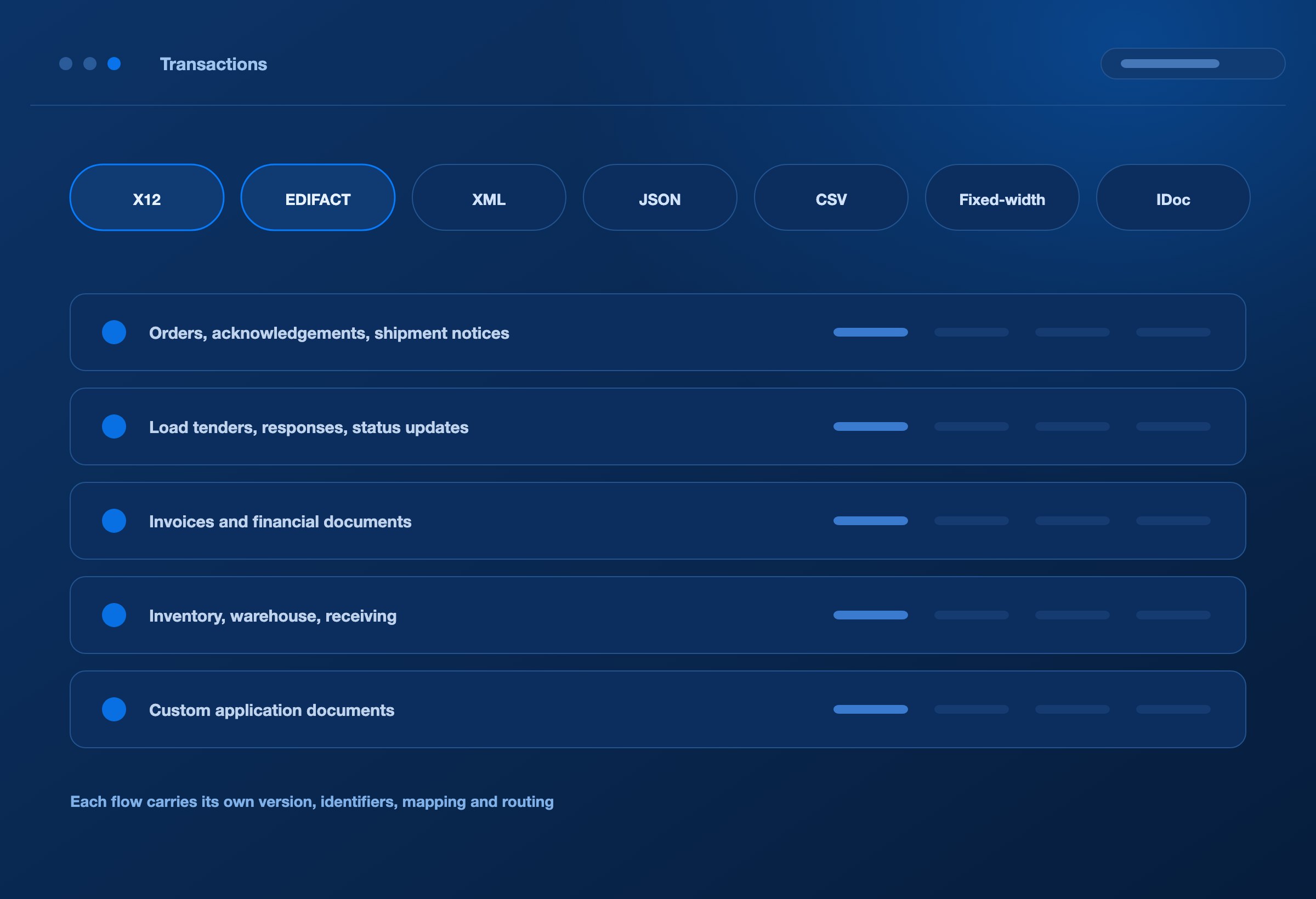
DEXA Orchestrator executes deployed document definitions and maps for X12, EDIFACT, XML, JSON, CSV, fixed-width files, and supported SAP IDoc structures.
Configure integrations around the exchanges your business needs:
Orders, acknowledgements, and shipment notices.
Load tenders, tender responses, and transportation status updates.
Invoices and other financial documents.
Inventory, warehouse, and receiving messages.
Custom application documents and partner-specific transactions.
Each flow can have its own document version, identifiers, mapping logic, connection details, and routing rules.
New transaction requirements are addressed through the relevant definitions, maps, and configuration.
Let the business requirement define the integration.
ROUTING
Route by the document. Deliver by the requirement.
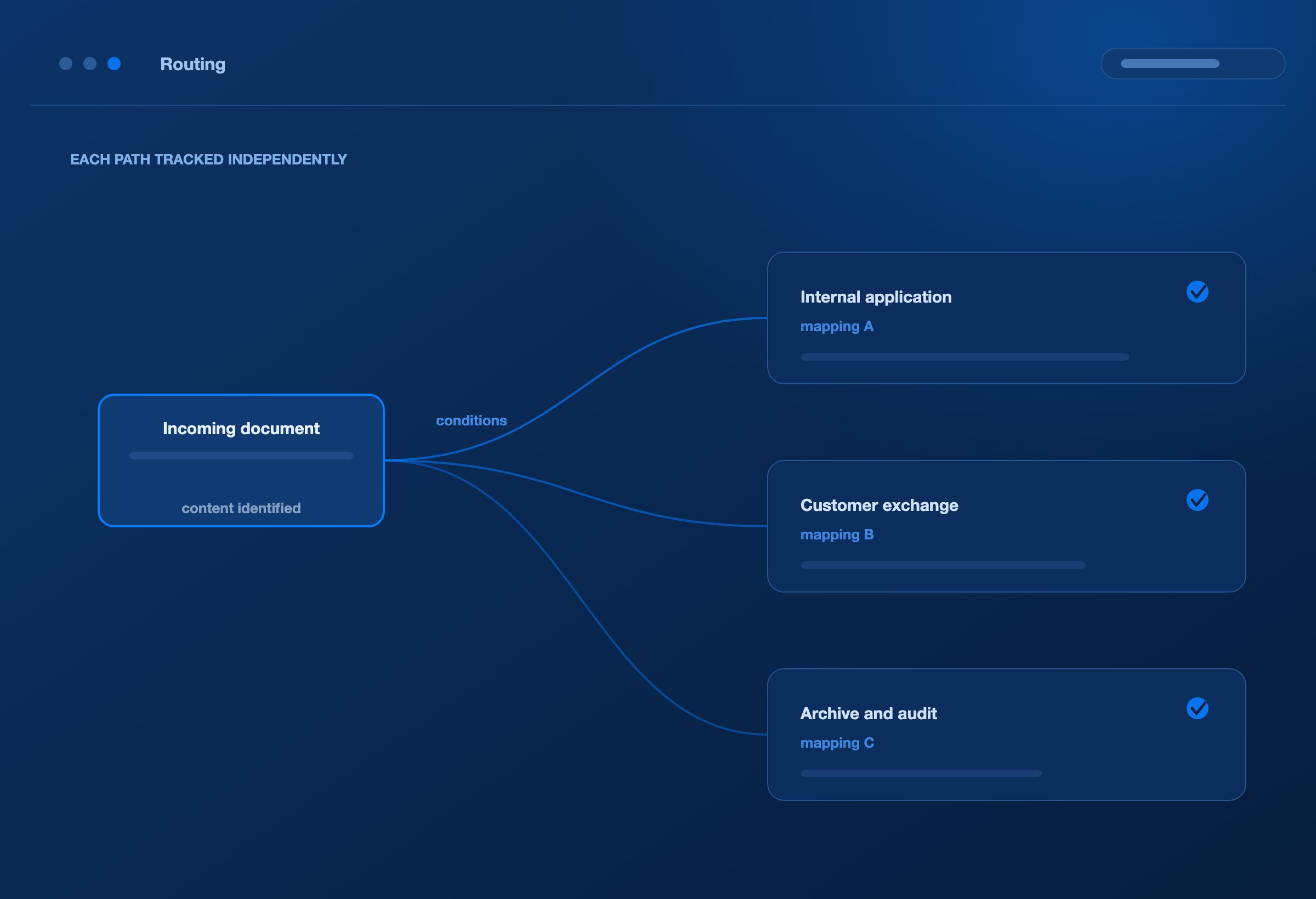
One incoming document may serve several business purposes. Different destinations may need different formats, fields, or delivery methods.
DEXA Orchestrator supports content-based identification and configured routing so documents reach the appropriate integration.
Identify the right flow
Use document content and configured identifiers to match the partner, transaction, version, and processing route.
Serve multiple destinations
Route one incoming document into multiple processing paths, each with its own mapping and delivery configuration.
Follow business conditions
Use configured content conditions to determine which paths apply to a document.
Track each path independently
Keep processing and delivery outcomes associated with their individual paths, making failures easier to locate and address.
For example, a shipment update can feed an internal application and a customer-facing exchange, with different output requirements for each.
One source document. The right output for each destination.
DELIVERY TIMING
Deliver when the business needs it.
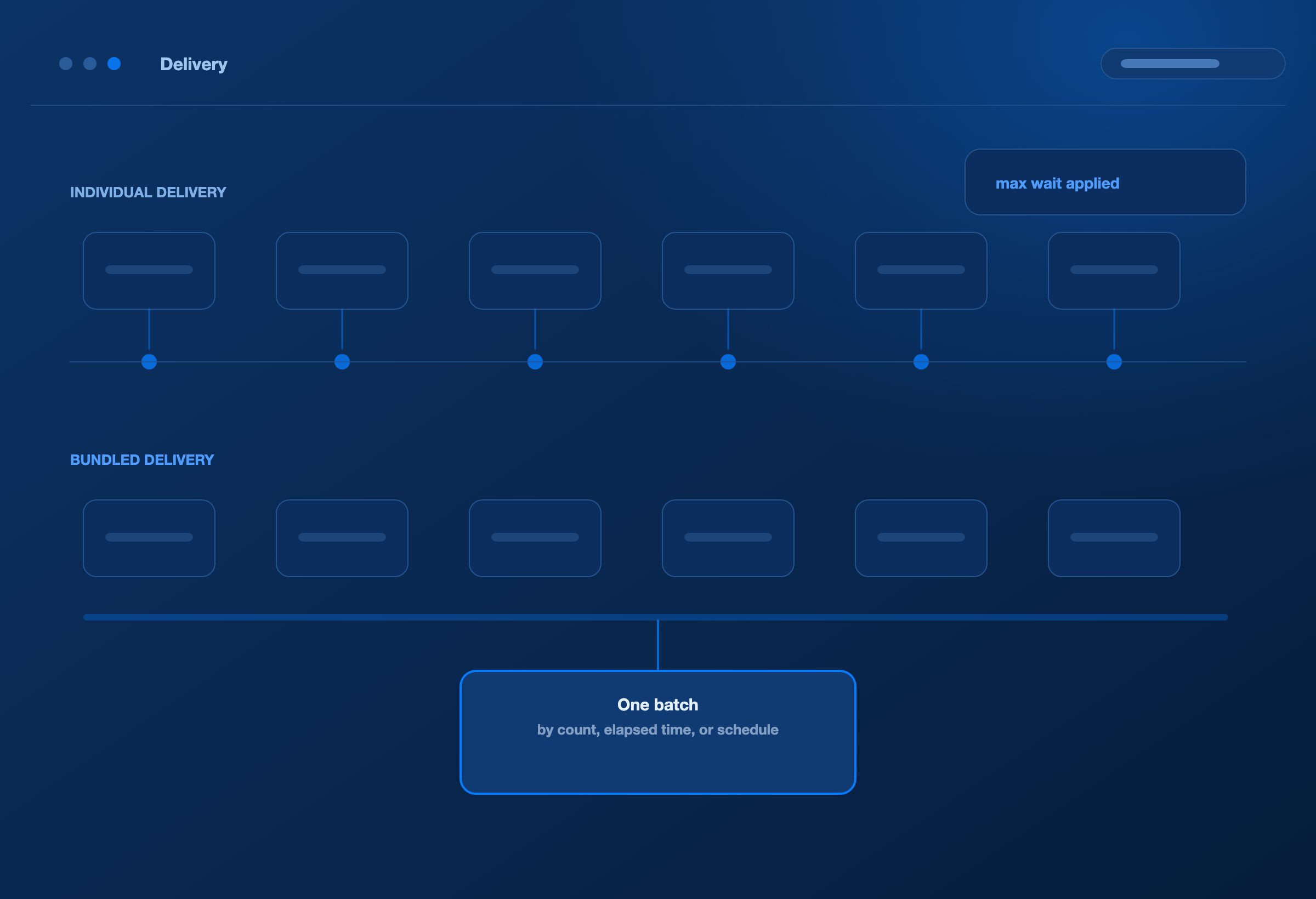
Some exchanges need individual delivery as documents arrive. Others require consolidation into agreed batches.
DEXA Orchestrator supports individual document delivery and configurable outbound X12 bundling based on elapsed time, document count, or a scheduled delivery time.
Configure maximum waiting periods to prevent a low-volume batch from waiting indefinitely. Apply functional acknowledgement handling where required by the transaction setup.
This gives teams practical control over how documents are grouped, transmitted, and acknowledged.
Match delivery to the partner’s operating rhythm.
CLOUD-NATIVE SCALE
Cloud-native scale for a growing partner network.
New partners bring more than additional document volume. They introduce different traffic patterns, processing demands, and delivery dependencies.
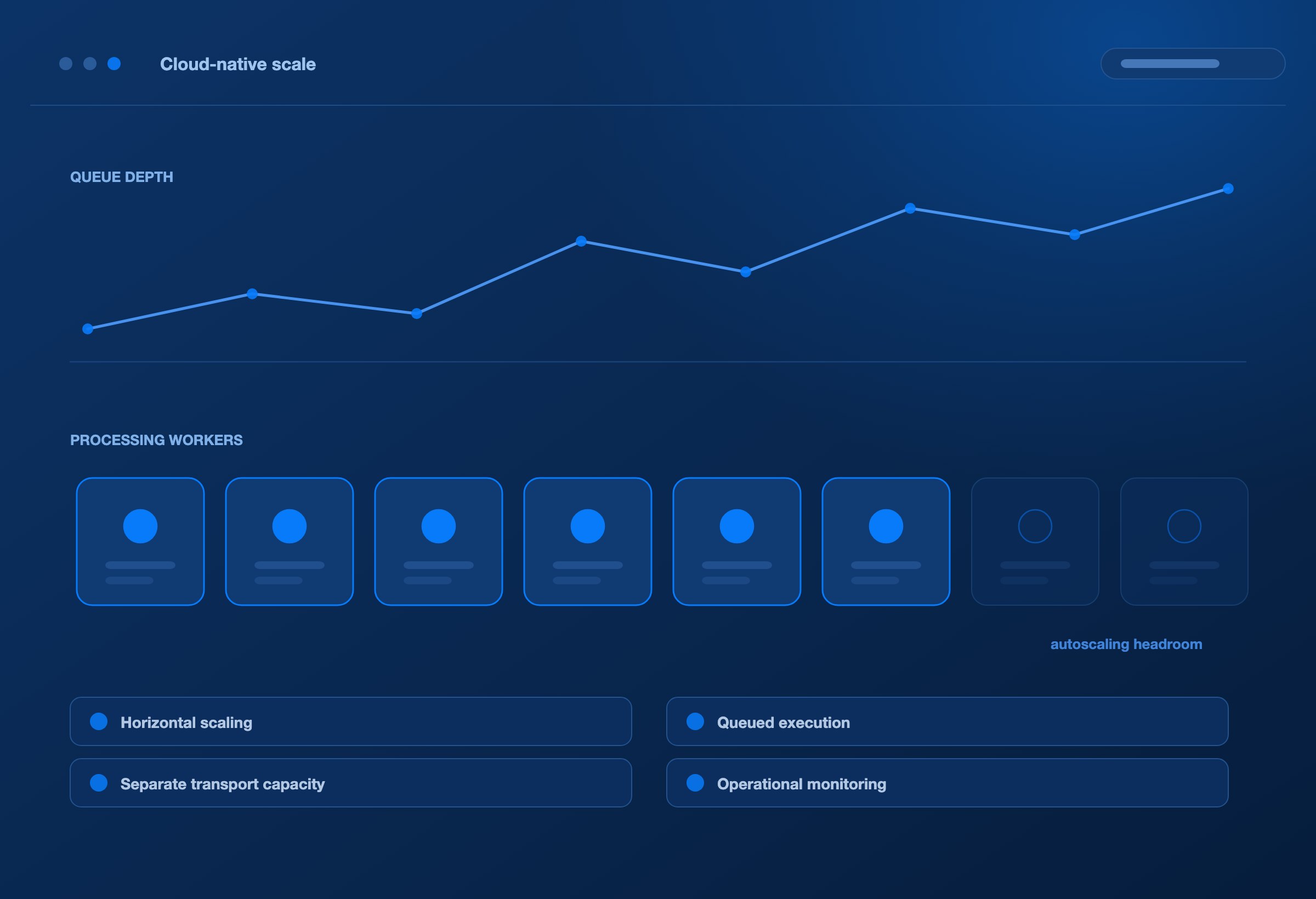
DEXA Orchestrator uses containerised services, parallel processing, and Kubernetes deployment support to expand execution capacity as workloads grow.
Its architecture supports:
Horizontal scaling: Add processing capacity across multiple service instances.
Configurable autoscaling: Adjust capacity within defined infrastructure limits and resource policies.
Queued execution: Distribute pending work across available processing workers.
Separate transport and processing capacity: Tune document movement and map execution around their different demands.
A business process can begin before an EDI document arrives and continue after it is delivered.
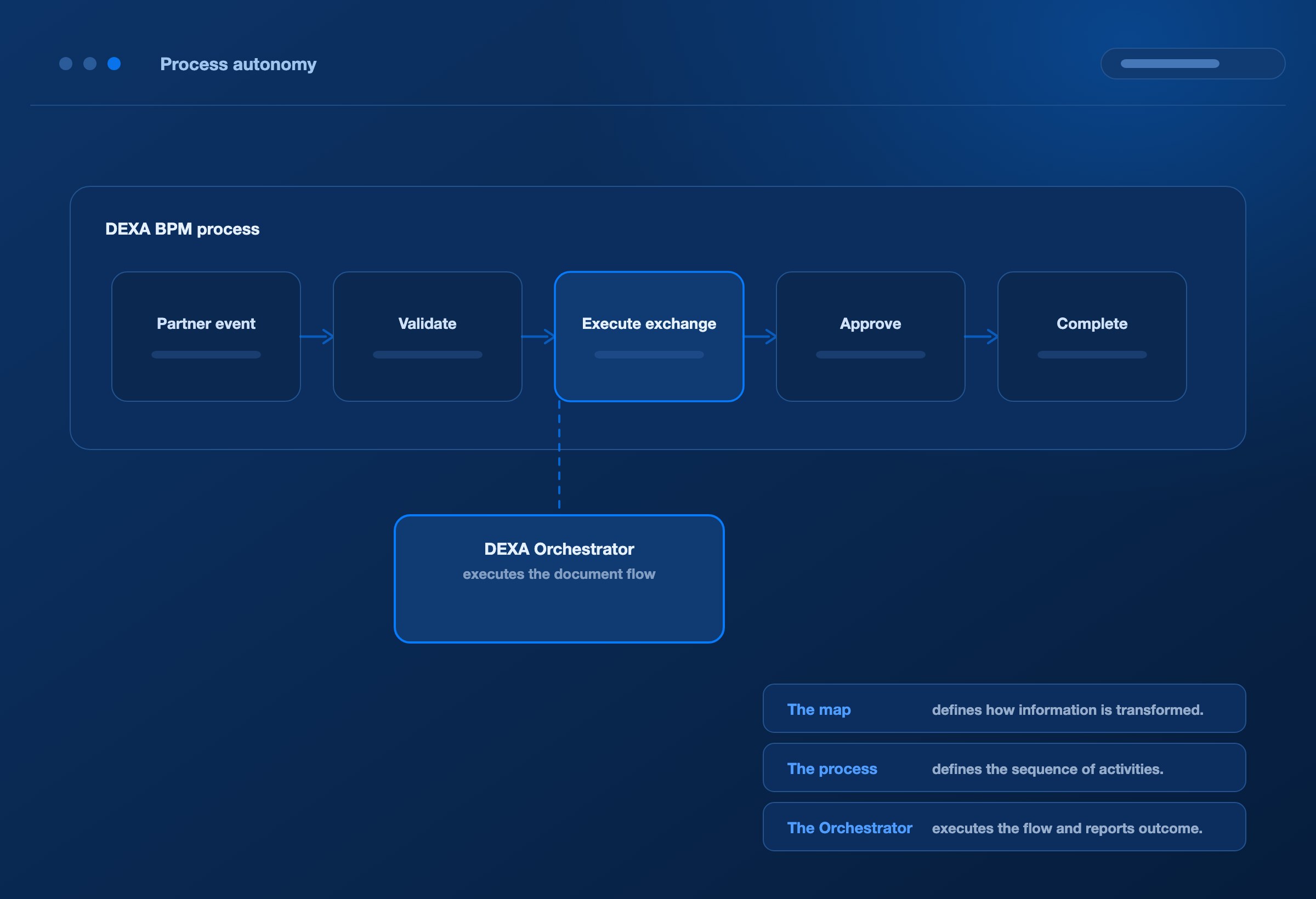
DEXA Orchestrator integrates with DEXA BPM to associate partner transactions with configured processes and share execution events. This connects document processing with the wider sequence of work across partners and backend applications.
Keep the responsibilities clear:
The map defines how information is transformed.
The process defines the sequence of activities around the exchange.
The Orchestrator executes the configured document flow and reports its outcome.
Use this separation to organise partner-specific processes, application interactions, and exception paths without placing every responsibility inside the map.
Orchestrator provides the execution foundation for process autonomy: defined actions, observable results, and interfaces that other platform components can use.
Let the process coordinate the work. Let the engine execute it.
AGENTIC OPERATIONS
Give AI agents the evidence—and the tools—to help.
An error message is only the start of an investigation. Effective support needs the document’s history, partner context, connection health, and processing outcome.
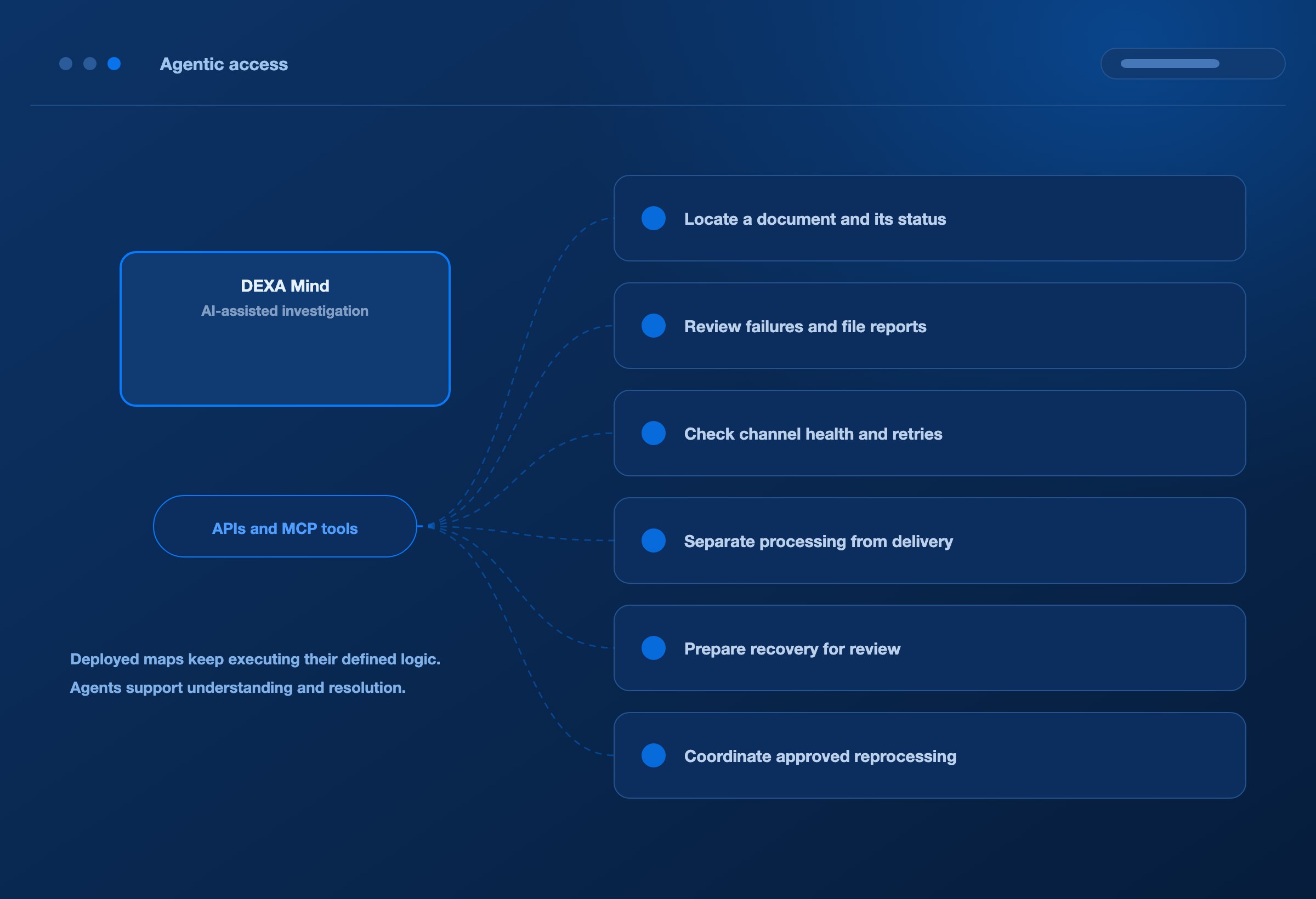
DEXA Orchestrator connects with DEXA Mind and exposes operational capabilities through APIs and Model Context Protocol (MCP) tools. These interfaces provide a foundation for integration with compatible agentic AI workflows.
AI agents can use this access to:
Locate a document and inspect its processing status.
Review recent failures and detailed file reports.
Check channel health, pending work, and retry activity.
Gather evidence to distinguish processing failures from delivery problems.
Prepare recovery actions for review.
Coordinate approved reprocessing or delivery retries.
DEXA Mind brings investigation and recovery coordination into the operational workflow, helping teams spend less time assembling evidence manually.
Deployed maps continue to execute their defined logic. AI agents support the work of understanding and resolving exceptions.
Make operational intelligence part of the integration.
RESILIENCE
Recover with context. Reduce repeated investigation.
A temporary connection failure, an invalid document, and an incorrect mapping requirement need different responses.
DEXA Orchestrator combines configured retry behaviour with recorded failure details and controlled recovery options.
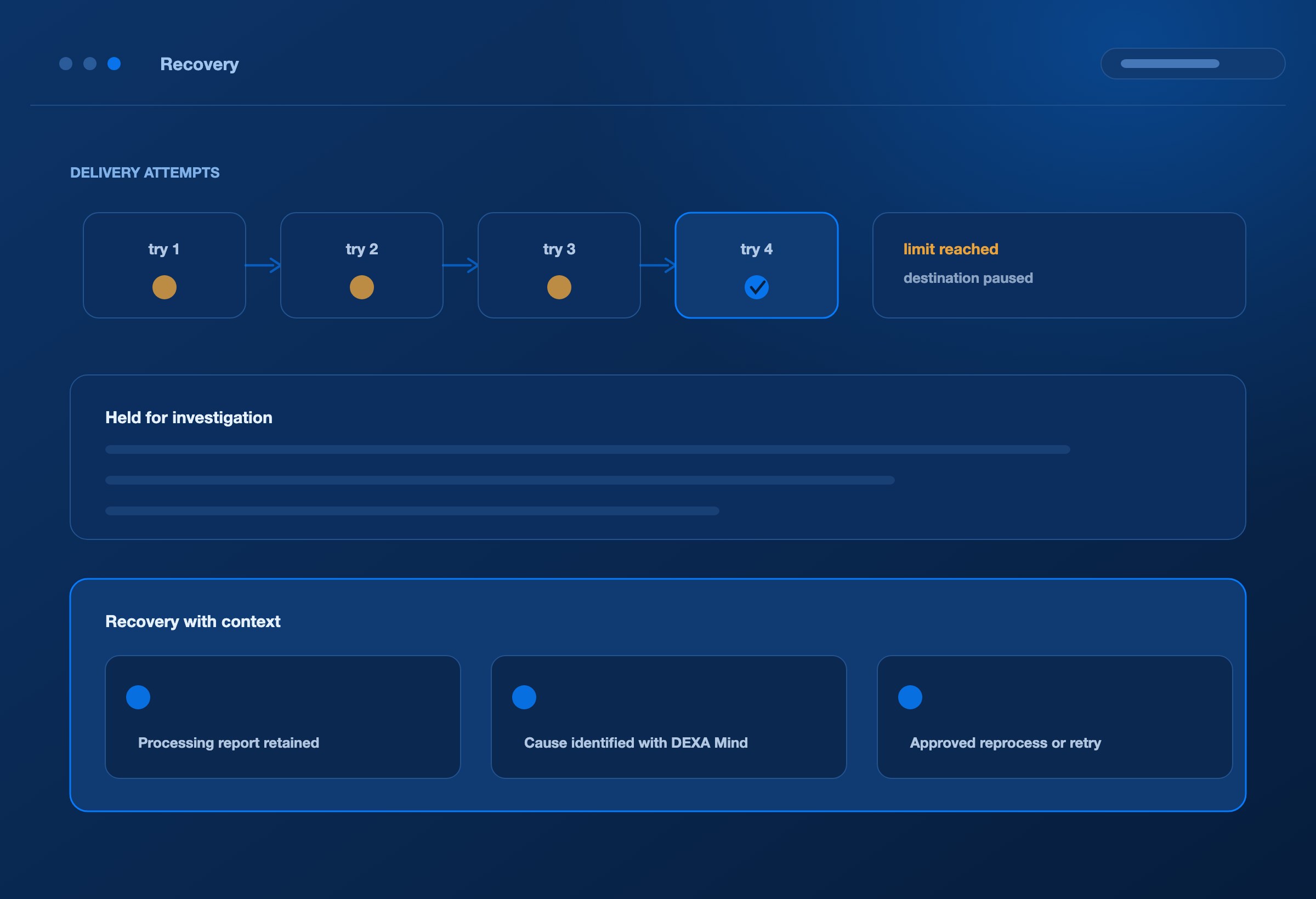
Retry temporary delivery failures within configured limits.
Pause repeated connection attempts when a destination continues to fail.
Separate unresolved documents for investigation when retry limits are reached.
Retain processing reports so support can see where the flow stopped.
Reprocess or retry delivery once the relevant issue has been addressed.
With DEXA Mind, these records become the starting point for AI-assisted investigation and approved recovery.
Reduce the time between discovering a failure and knowing what to do next.
VISIBILITY
Every execution should leave an answer.
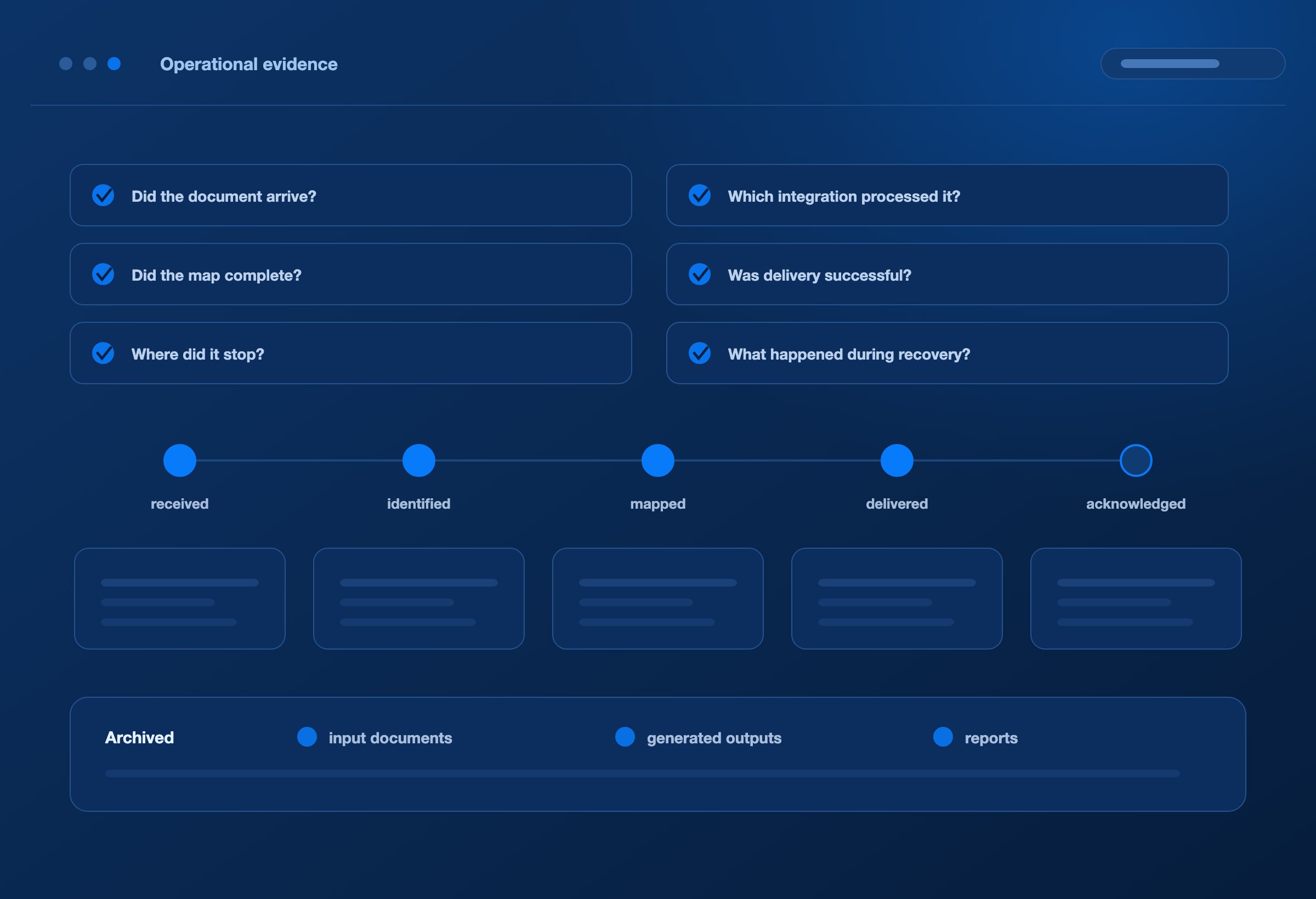
Operations teams need to answer practical questions:
Did the document arrive?
Which integration processed it?
Did the map complete?
Was delivery successful?
Where did it stop?
What happened during recovery?
DEXA Orchestrator records document events, processing reports, and delivery outcomes. DEXA Pulse brings this operational evidence into views for document tracking, partner performance, analytics, and SLA monitoring.
Configured archiving retains input documents, generated outputs, and reports for later investigation.
Give support teams evidence they can follow—and business teams visibility they can use.
COST OF OPERATION
Lower the effort of running integrations.
The cost of integration continues after go-live: checking transfers, investigating failures, repeating delivery attempts, and explaining document status.
DEXA Orchestrator helps reduce this operational effort through automated execution, consistent routing, configured retries, and accessible processing evidence. DEXA Mind adds AI-assisted investigation and recovery coordination.
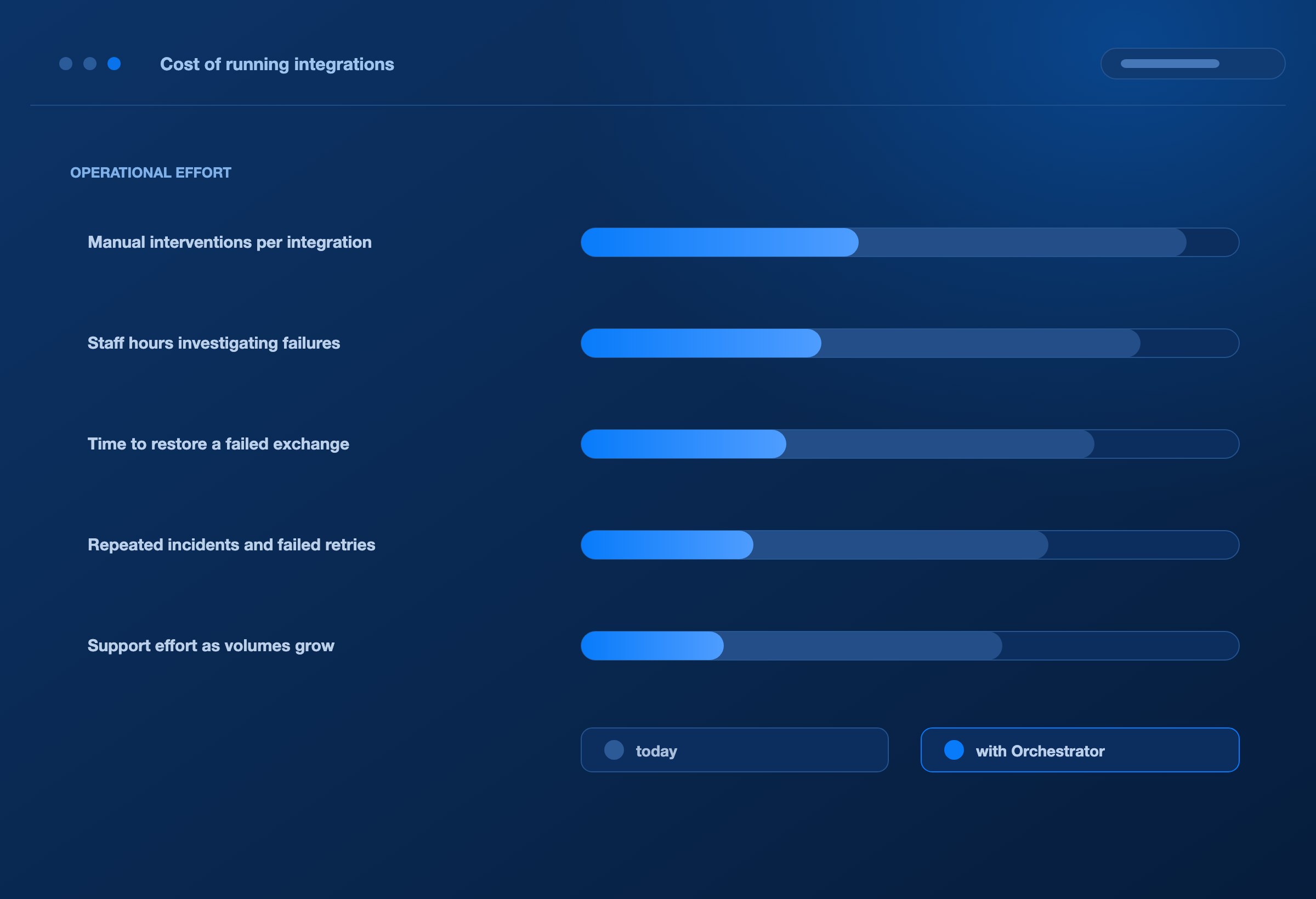
Assess the value through the work your team performs:
Manual interventions per integration.
Staff hours spent investigating failures.
Time required to restore a failed exchange.
Repeated incidents and unsuccessful retries.
Support effort as partner and transaction volumes grow.
Grow your integration capacity with less repetitive operational work.
ONE PLATFORM
One platform, from requirement to running integration.
DEXA component / Its role
DEXA Blueprint
Capture partner requirements, manage integration artifacts, and use AI agents to generate and test maps.
DEXA Orchestrator
Execute deployed maps and coordinate document pickup, processing, routing, and delivery.
DEXA BPM
Define and coordinate processes around integration activities.
DEXA Mind
Investigate operational issues and coordinate approved recovery.
DEXA Pulse
Make document outcomes, performance, and operational trends visible.
Yes. Configure the relevant source and target definitions, mapping logic, identifiers, and routes for the transaction. Custom exchanges follow the requirements of the connected partner and application.
Can the source and destination use different protocols?
Yes. An integration can collect documents through one supported connection method and deliver the transformed output through another.
Does AI translate every live document?
AI agents generate and test maps during the build process. DEXA Orchestrator executes the deployed mapping logic during live processing.
Can AI agents resolve failures automatically?
Configured runtime retries can handle eligible temporary failures. DEXA Mind investigates issues and coordinates supported recovery actions, with approval required for its current reprocessing and delivery-retry actions.
Can it scale with our business?
The architecture supports parallel execution, horizontal scaling, and configurable autoscaling. Deployment capacity is matched to your workloads, infrastructure, and connected-system limits.
NEXT STEP
Bring your connections. Bring your transactions. See them work together.
Explore how DEXA Orchestrator can connect your partners and applications, execute your maps, support your processes, and give your team clearer control over live operations.
We use cookies
We use essential cookies to run this site, and analytics cookies to understand
how it is used. Analytics stay off until you accept. See our
privacy policy.