
DEXA Blueprint
DEXA BLUEPRINT
The AI-Powered Design Studio for Partner Onboarding
Your requirements lead. AI agents do the build.
DEXA Blueprint is the design studio where EDI trading partner integrations are built. Business analysts capture each partner’s requirements in a Mapping Requirement Specification, and AI agents generate and test the maps from it. Every partner gets a shared source of truth, with a full build and change history.
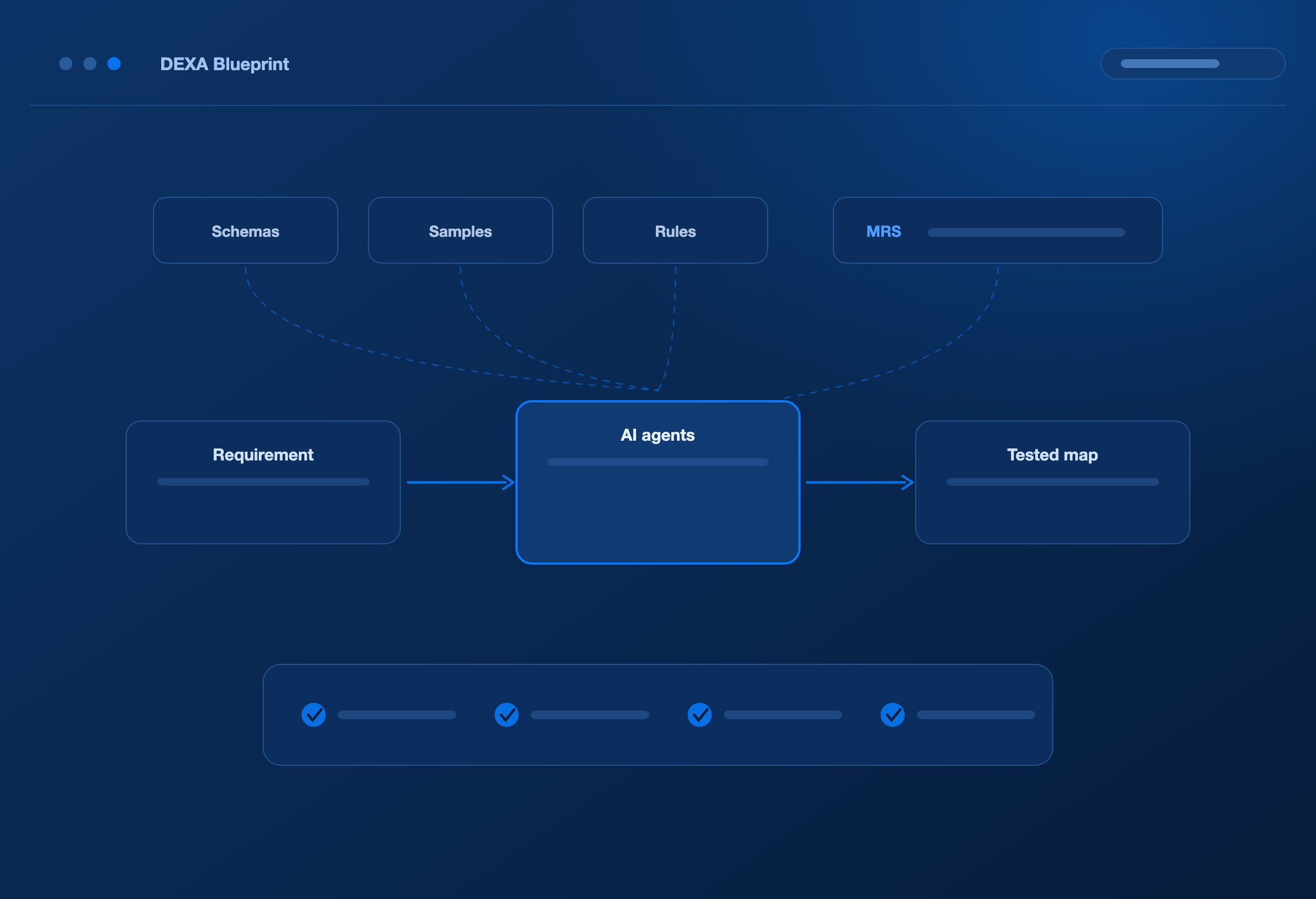
DEXA Blueprint puts business analysts at the centre of onboarding, with AI agents generating document definitions, building maps, and testing them against partner sample files.
REQUIREMENTS LED
Make requirements the work that drives everything else.
Your team understands what the partner needs, how your applications work, and which business rules the integration must follow.
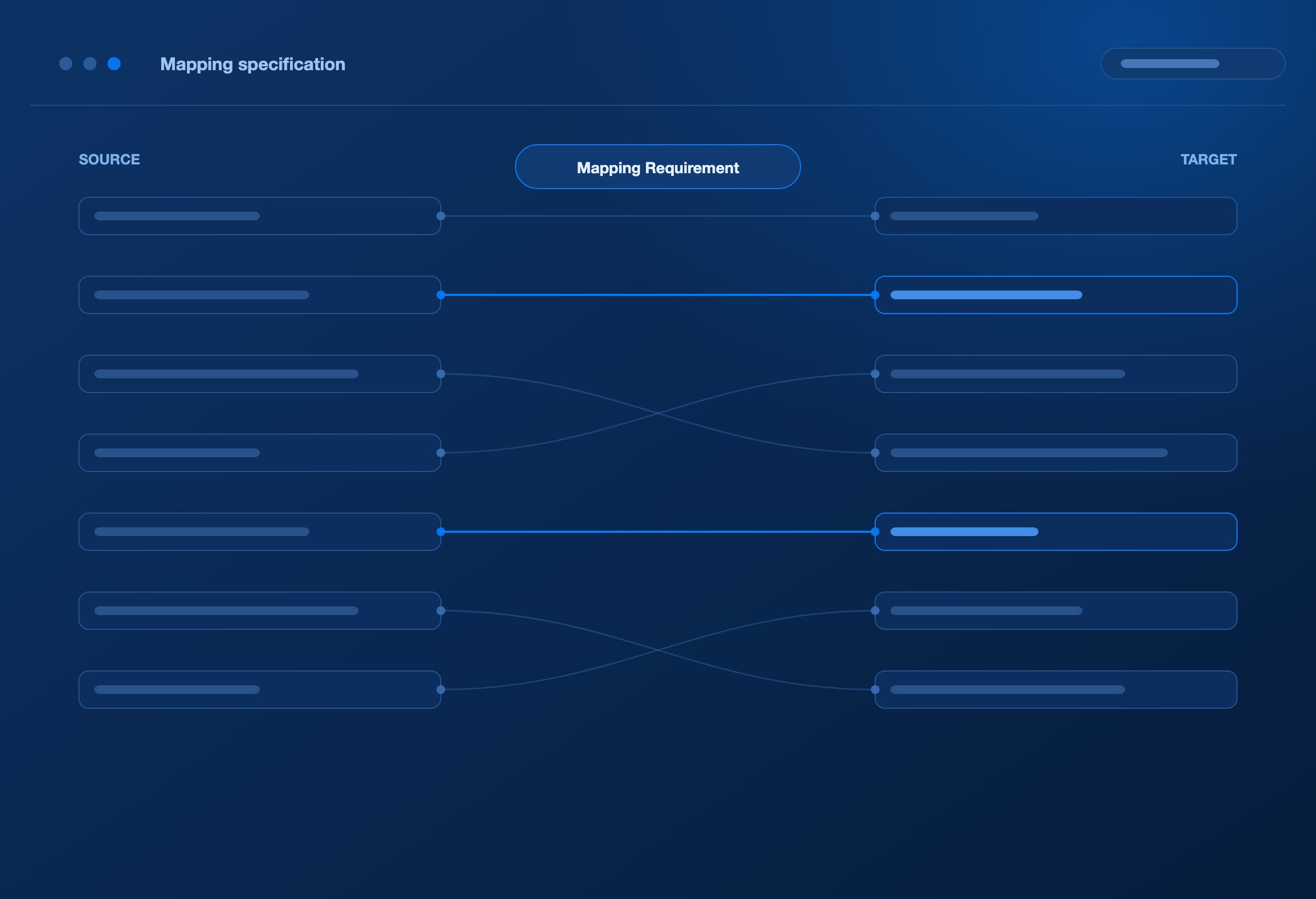
DEXA Blueprint turns that knowledge into a structured Mapping Requirement Specification—the MRS. AI agents use it, together with schemas and sample files, to generate and test the mapping.
The analyst can define the requirement, inspect the result, and refine the same specification as the integration develops.
One requirements-led workspace connects business intent to the build.
FEWER HANDOFFS
Bring the next partner live with less work between teams.
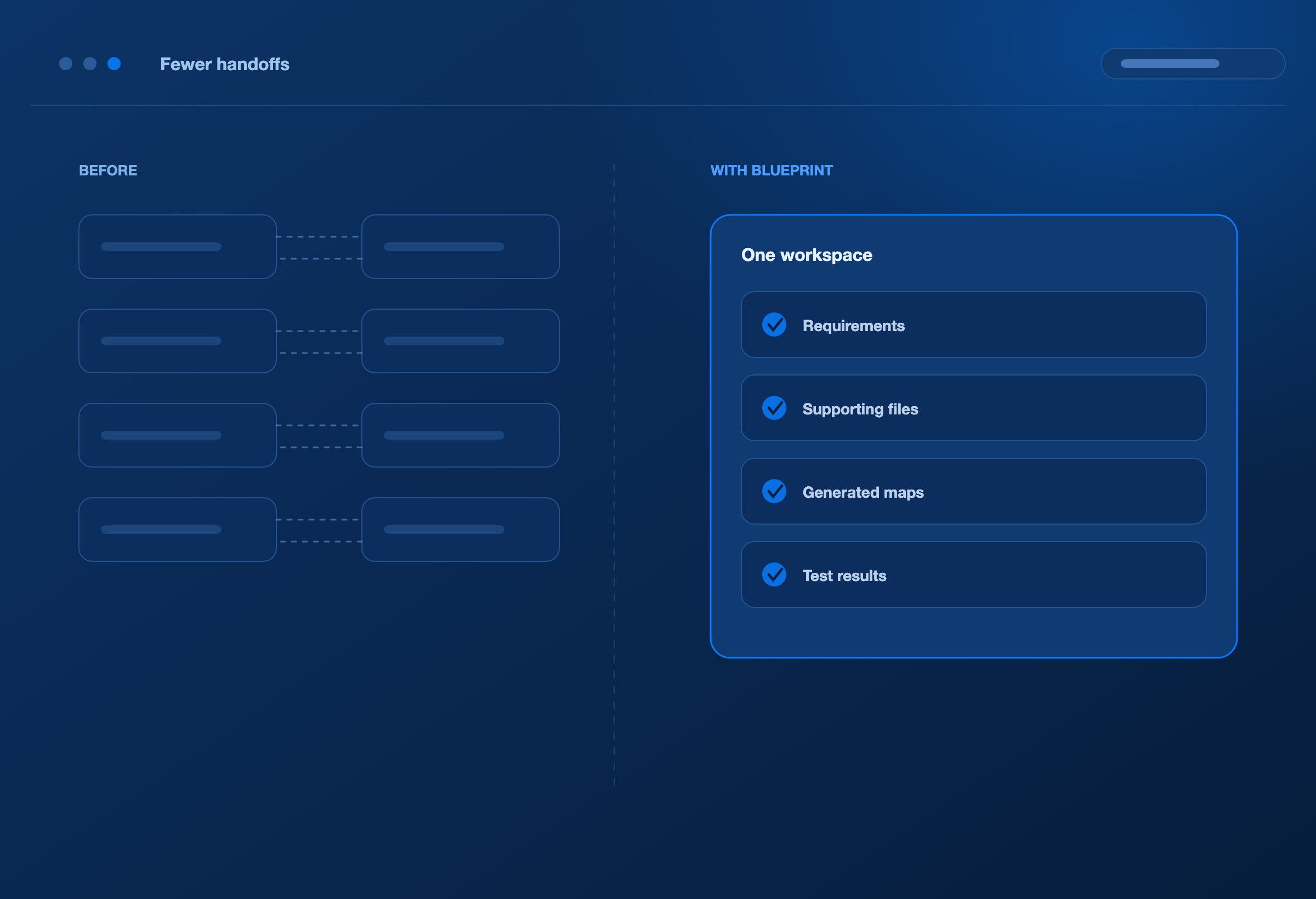
Onboarding often slows down between activities.
A requirement needs clarification. A developer needs an example. Testing reveals a rule that was understood differently. An updated specification reaches one person but misses another.
These exchanges can repeat for the same partner, consuming time without moving the integration closer to completion.
DEXA Blueprint brings the requirements, supporting files, generated maps, and test results together. AI agents take on map generation and testing, reducing the repeated handoffs between specification, development, and correction.
Shorten the distance between an agreed requirement and a tested map.
A SHARED SOURCE OF TRUTH
Give every partner a shared source of truth.
Partner knowledge belongs with the integration. Build a central repository for the information your team needs to onboard, change, and support each partner.
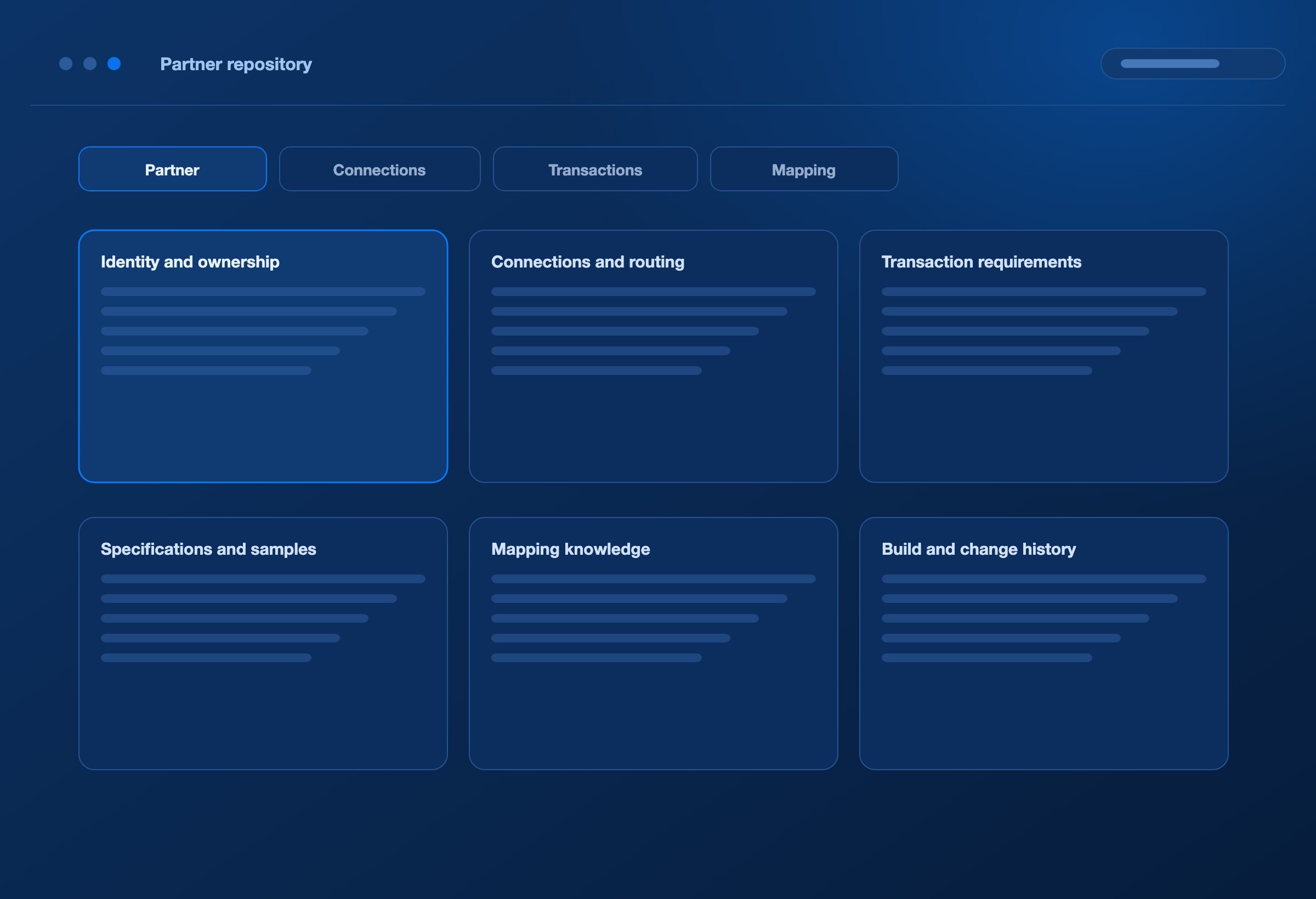
Identity and ownership
Partner details, identifiers, application context, contacts, and support ownership.
Connections and routing
Test and production connection details, source and destination settings, and transaction routes.
Transaction requirements
Document types, directions, formats, versions, identifiers, and processing requirements.
Specifications and samples
Partner specifications, source and target schemas, sample inputs, and expected outputs.
Mapping knowledge
MRS content, field relationships, conditions, defaults, transformations, and generated maps.
Build and change history
Requirement versions, generated artifacts, available test results, and deployment records.
Organise this information around the partner and transaction it belongs to.
When a colleague joins, a requirement changes, or a migration begins, the team has a documented starting point.
Keep knowledge available beyond the person who first built the integration.
THE PEOPLE WHO KNOW THE RULES
Put the people who know the rules closer to the outcome.
Business analysts already translate partner needs into integration requirements.
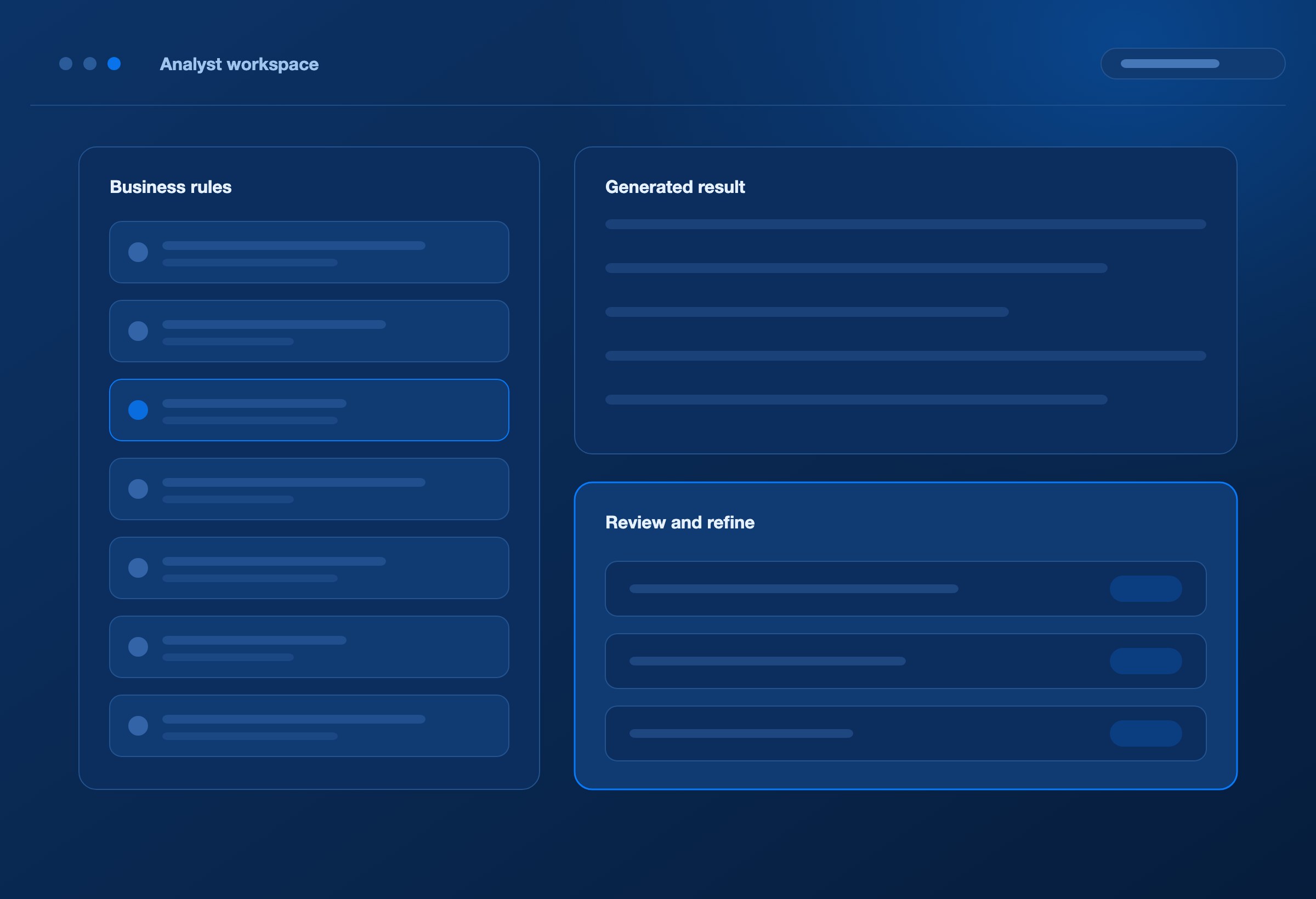
DEXA Blueprint gives them a workspace where those requirements directly drive the build. They can work with source and target structures, define business logic, review generated results, and manage changes without turning every mapping task into a separate development request.
Specialist expertise remains available for complex application behaviour and unusual integration needs. AI agents take on the repeatable map-building work.
Give your team more onboarding capacity without making every additional partner another manual build.
FROM INTENT TO EXECUTION
AI agents turn the requirement into a working map.
Define the intent. Inspect the result. DEXA Blueprint connects the steps that turn business requirements into executable mapping logic.
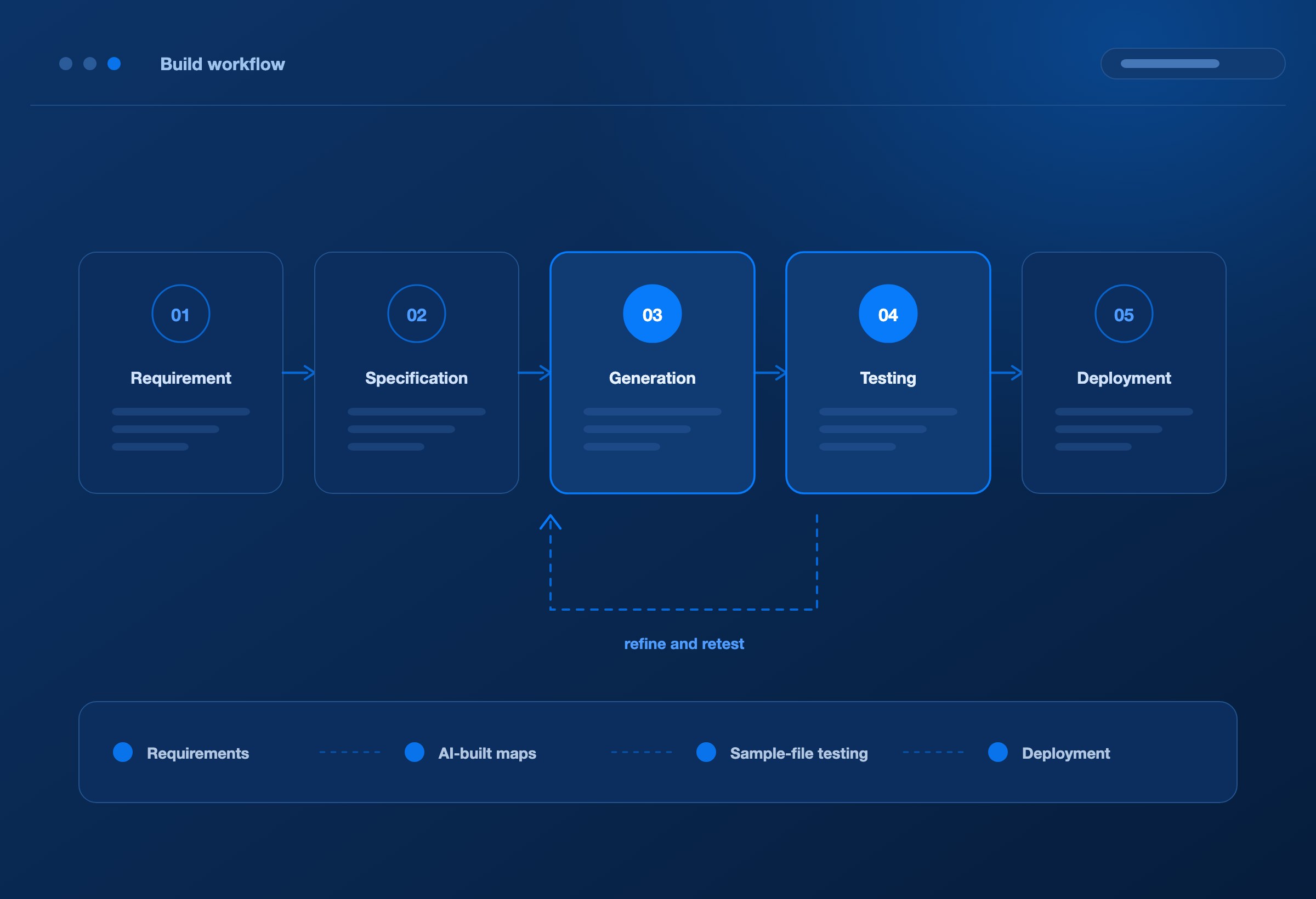
1. Establish the partner requirement
Capture the partner’s identity, transactions, connection requirements, source and target formats, schemas, and representative sample files.
2. Create the mapping specification
Define how information moves between the partner and your application. Record field mappings, business rules, required values, conversions, and conditions in the MRS.
3. Generate the document definitions and map
AI agents use the specification and supporting artifacts to build the structures and mapping logic required for the integration.
4. Test, refine, and retest
Run the map against partner sample files. Use expected outputs where supplied to evaluate the result. The generation workflow can feed validation errors and output differences back to the agents for correction and another test.
Clarifications remain connected to the requirement they affect.
5. Prepare for live execution
Complete the relevant connectivity, application, and partner acceptance checks, then deploy the tested DEXA map to DEXA Orchestrator for execution.
THE BUILD PATH
01
Requirements
→
02
AI-built maps
→
03
Sample-file testing
→
04
Deployment
TIME TO MARKET
Reduce time to market—and the cost of getting there.
A customer integration can determine when a new service begins. A carrier integration can determine when additional capacity becomes available.
The value of faster onboarding is the opportunity to put those relationships to work sooner. DEXA Blueprint targets the effort between requirements and a tested map:
Less manual development: AI agents generate document definitions and mapping logic.
Less repeated explanation: Requirements and supporting evidence stay together.
Less searching: Partner artifacts are organised in a shared workspace.
Less duplicated effort: Existing MRS content can provide a starting point for similar integrations.
Less avoidable rework: Sample-file testing exposes differences that can be addressed within the build workflow.
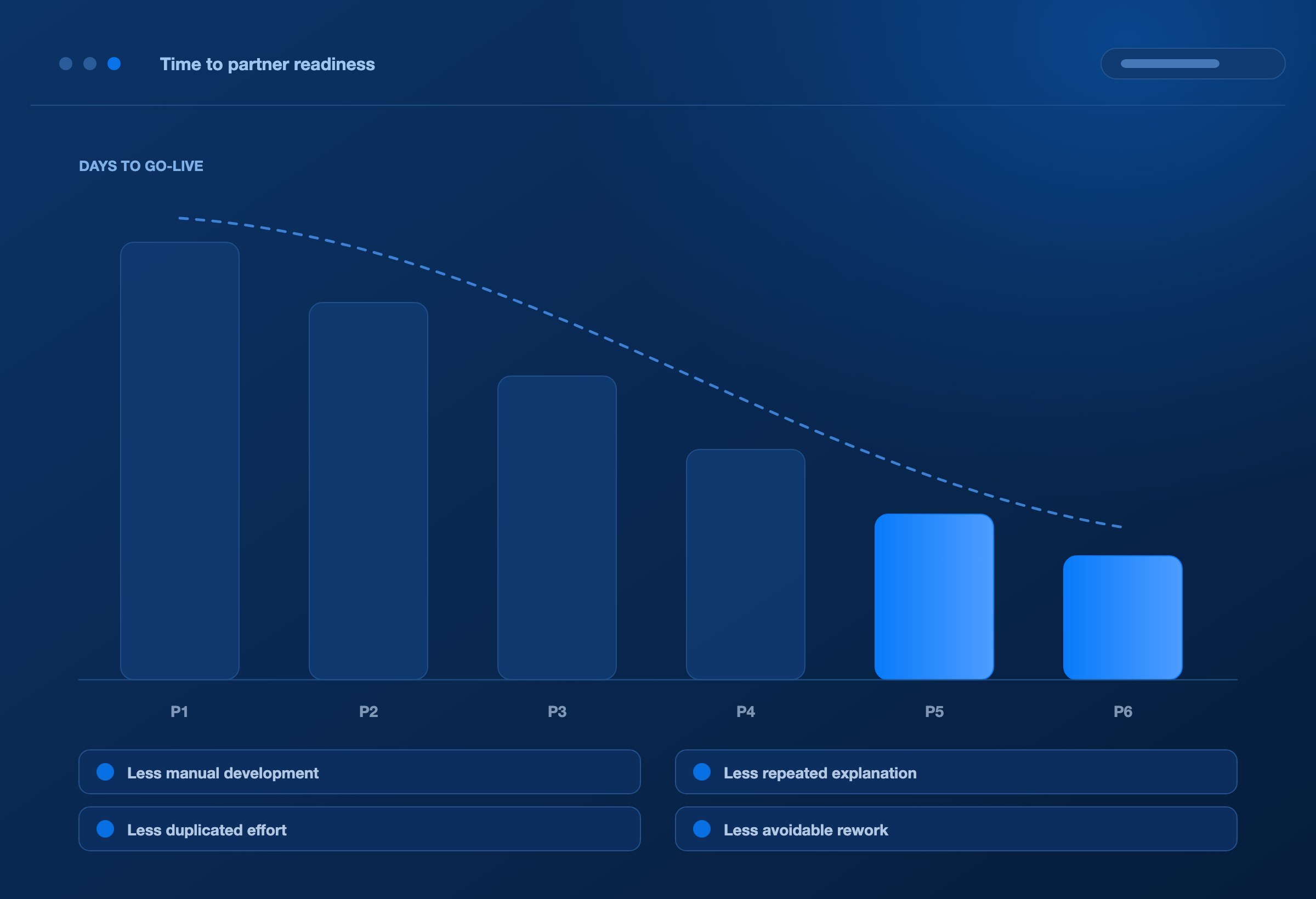
Accelerate partner readiness by reducing the work required to achieve it.
THE COST OF CONNECTING
The licence price is visible. What does it cost to get a partner live?
Your EDI licence tells you what the software costs. It does not tell you how many calendar days, internal staff hours, or direct expenses it takes to make the next trading partner operational.
The cost also extends beyond the integration team. While onboarding waits, a customer launch may be delayed, revenue may start later, or additional carrier capacity may remain unavailable.
The commercial question is what it takes to connect the partner—and what the business is waiting to do until that happens.
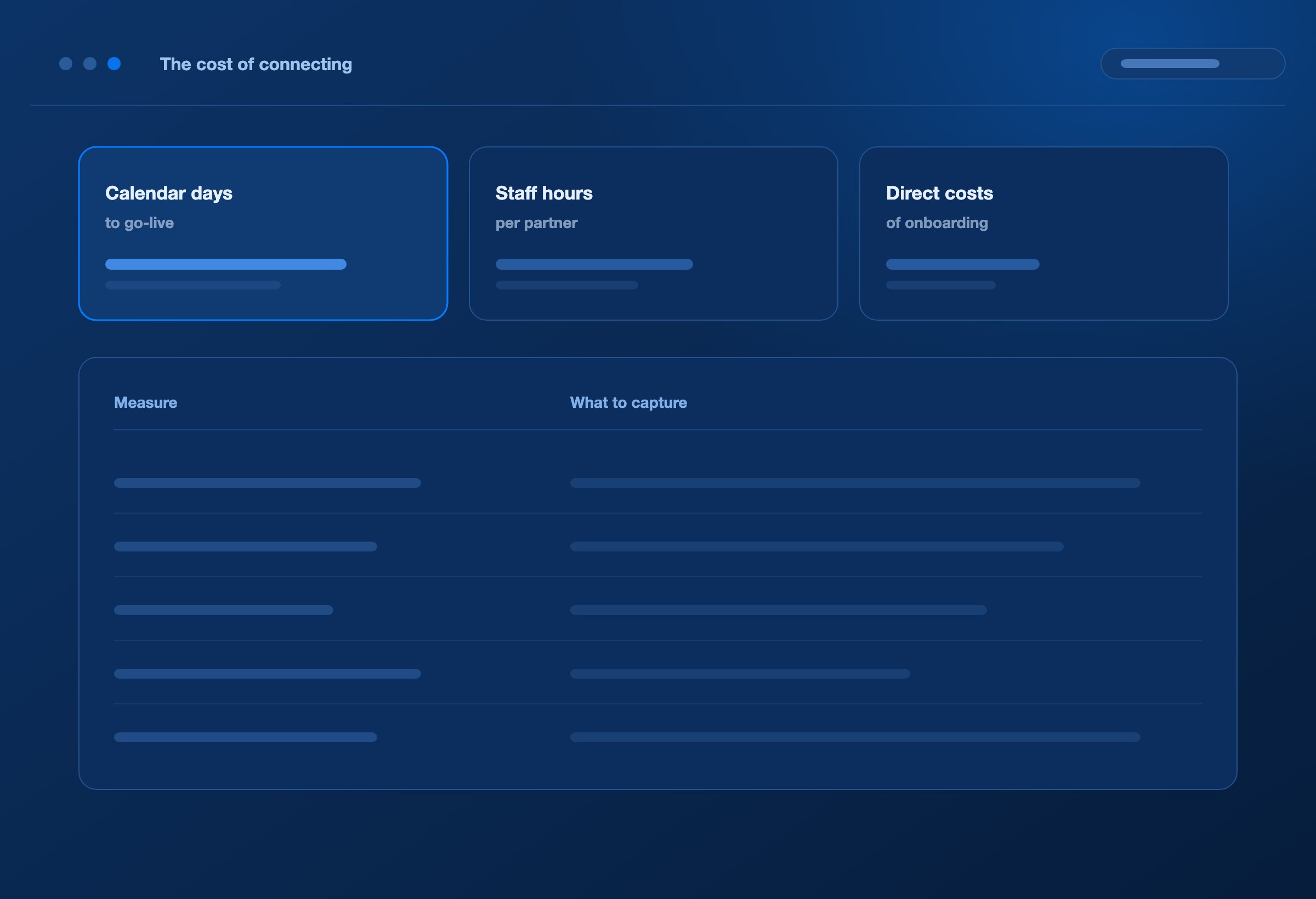
Measure the cost of connecting. Evaluate DEXA Blueprint against the actual work required to get a partner live. Establish a baseline for your current process, then compare an onboarding scope with similar transactions, complexity, and acceptance requirements.
Calendar days to go-live
Elapsed time from the agreed onboarding start to the first successful production exchange, including time spent waiting between activities.
Internal staff hours
Effort contributed by analysts, developers, testers, application teams, and support. Where useful, apply agreed labour rates to calculate internal delivery cost.
Direct onboarding costs
Attributable external services, partner testing charges, and other expenses required to make the partner operational.
Rework within that effort
Hours spent clarifying requirements, correcting maps, and repeating tests. Identify these within total staff hours so they are not counted twice.
Business impact while waiting
Days of customer-launch delay, deferred revenue timing, unavailable carrier capacity, or missed operating windows. Quantify using the business’s own data and assumptions.
Assess business impact separately from delivery spend. This makes both the cost of completing the integration and the consequences of delay visible.
DEXA Blueprint targets the work behind these measures: centralising partner knowledge, using AI agents to build and test maps, and reducing repeated clarification and development effort.
Measure success in fewer days to go-live, fewer staff hours per partner, and a lower cost of connecting.
CHANGE AND CONTINUITY
Keep the next change connected to what already works.
Go-live becomes the starting point for ongoing improvement.
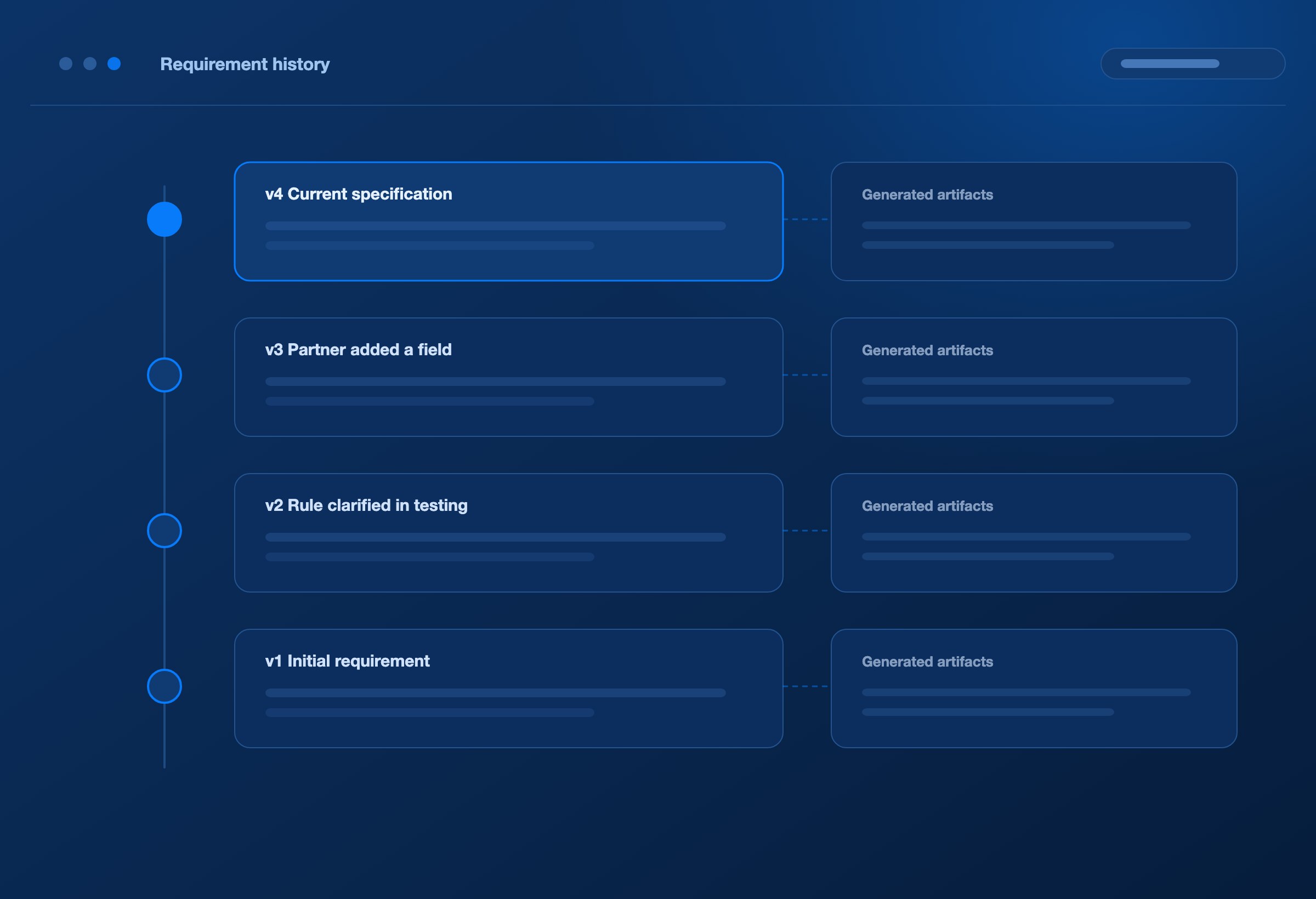
Every change starts from the existing context
Partner requirements evolve. Applications change. New transaction versions and business rules introduce additional work.
Open the existing partner and transaction context in Blueprint. Update the MRS, retain the requirement history, and use the revised specification to regenerate and retest the affected mapping.
Your team can see what changed and why, with the supporting files available alongside it.
Build on the integration’s history every time the business moves forward.
Preserve the knowledge your next project will need.
Versioned requirements and mapping artifacts help teams understand how an integration evolved.
Compare requirement versions, record change notes, and retain the relationship between the specification and its generated outputs. Reuse relevant MRS content as a starting point, then adapt it to the next partner’s actual requirements.
This continuity matters during team changes, application upgrades, and platform migrations, when reconstructing undocumented business rules can become a substantial part of the work.
The knowledge captured during onboarding keeps contributing long after go-live.
WHERE BLUEPRINT FITS
Start with shared requirements. Expand into AI-driven delivery.
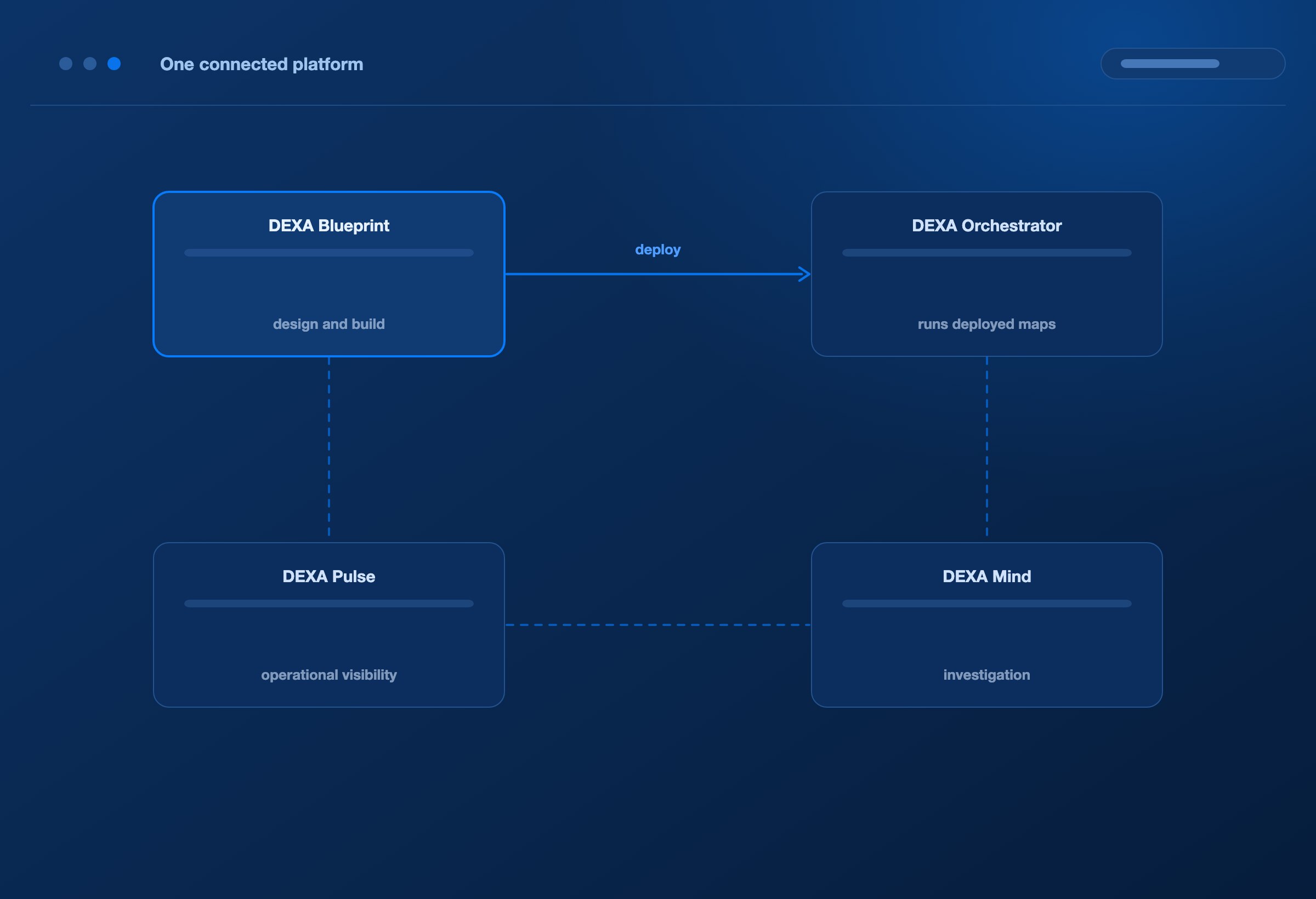
Use Blueprint alongside your existing EDI platform.
DEXA Blueprint can serve as the partner repository and requirements workspace for teams developing integrations on platforms such as IBM Sterling or Cleo.
Centralise partner identities, connection details, transactions, schemas, sample files, and MRS content so development teams work from a consistent specification.
Use Blueprint with DEXA Orchestrator.
Within the DEXA platform, AI agents generate and test DEXA maps from those requirements. DEXA Orchestrator executes the deployed maps.
Blueprint-generated DEXA maps run on DEXA Orchestrator; they are not portable maps for Sterling or Cleo.
Keep the requirement connected to live operations. DEXA Blueprint provides the design and build workspace. DEXA Orchestrator runs deployed integrations. DEXA Pulse provides operational visibility, and DEXA Mind supports investigation when issues arise.
The partner context established during onboarding gives teams a stronger foundation for later changes and support.
Design with context. Operate with understanding.
FAQ
Frequently asked questions
What do we need to get started?
Bring a partner specification, the relevant source and target structures, representative sample files, and the business rules the integration must follow. Connection details and expected outputs strengthen the onboarding and testing process.
How quickly can we onboard a partner?
Blueprint accelerates the map-building work through AI generation, testing, and a shared requirements workspace. Overall go-live time also depends on specification completeness, sample coverage, application readiness, connectivity, and partner acceptance. A demo using your own requirements can establish a more useful baseline than a generic time promise.
Does “requirements-led” mean uploading a specification is the only step?
Requirements are the starting point and the focus of the analyst’s work. AI agents perform map generation and testing. Connection setup, result validation, and release readiness remain part of bringing a partner into production.
Can Blueprint support our existing EDI team?
Yes. It gives analysts and developers a shared repository for partner knowledge and mapping requirements. When used with DEXA Orchestrator, its AI build workflow also reduces the manual work involved in creating DEXA maps.
What happens when a partner changes a requirement?
Update the existing MRS and supporting artifacts, retain the change history, and regenerate and retest the affected mapping before deployment.
Does AI translate every live document?
AI agents generate and test the maps during the build process. Once deployed, DEXA Orchestrator executes the mapping logic.
NEXT STEP
Bring one partner specification. See what Blueprint can do with it.
See the partner setup, mapping requirements, AI-generated document definitions and maps, sample-file tests, and the path to deployment in a focused demo.
Use your own integration scope to assess the work involved—and the opportunity to shorten it.
