See how your integrations perform. Know where to act.
Operational Visibility and Actionable Insights
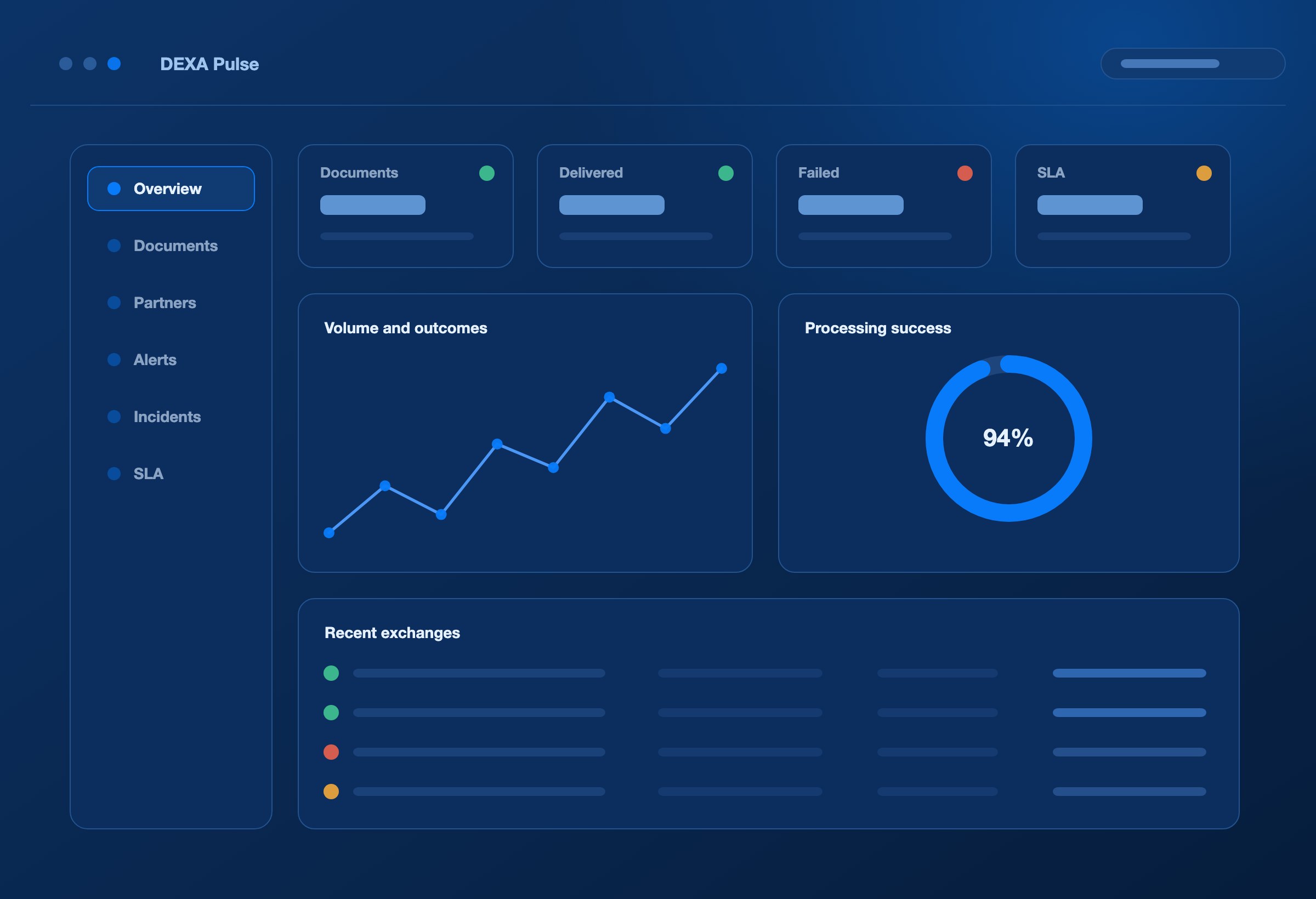
DEXA Pulse is the operational view of your EDI. It traces each document from receipt through processing, delivery and acknowledgement, measures partner performance against your SLA targets, and flags what needs attention. When something fails, your team can follow the exception to the underlying evidence and on to recovery.
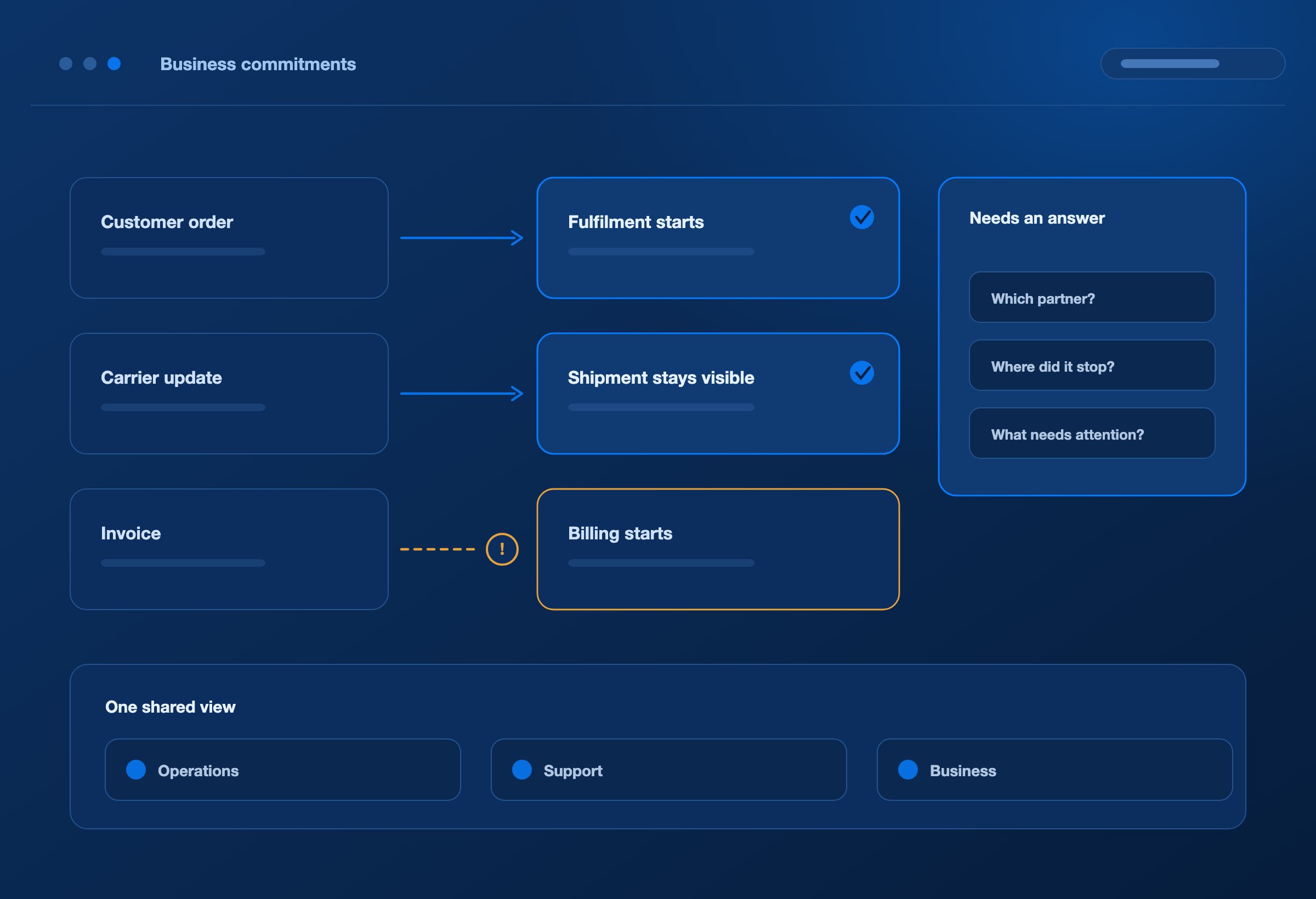
A customer order starts fulfilment. A carrier update keeps a shipment visible. An invoice starts the billing process. When the exchange stalls, teams need to know which partner is affected, where processing stopped and what needs attention.
DEXA Pulse gives operations, support and business teams a shared view of integration activity. It connects performance measures to the documents and events behind them, helping teams spend less time reconstructing what happened and more time resolving the issue.
DOCUMENT TRACKING
Follow the document through DEXA.
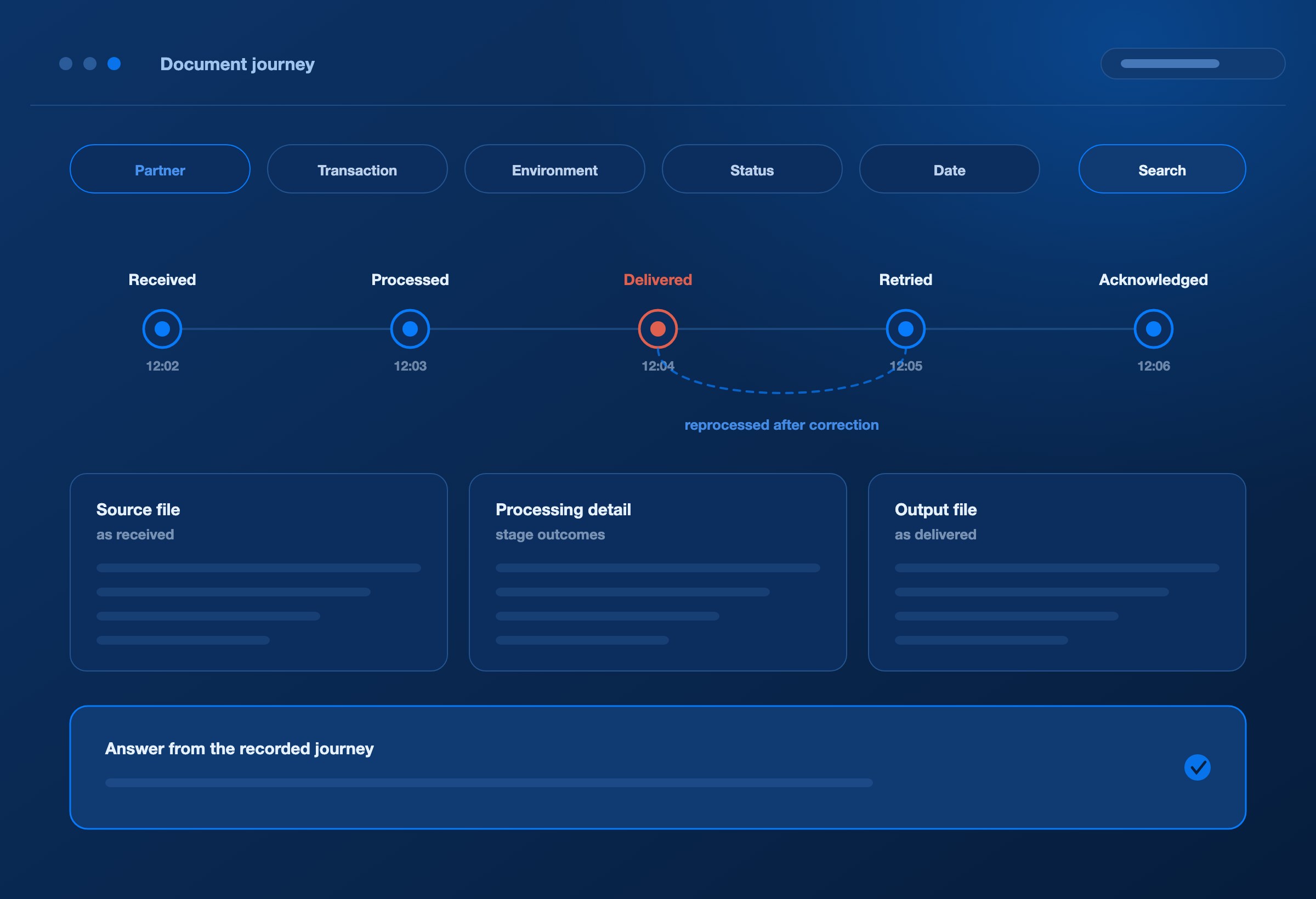
Trace a document from receipt through processing and delivery, with acknowledgements and related execution evidence where recorded. Open the journey to see completed stages, failures and subsequent recovery attempts.
Find documents by partner, transaction type, environment, status and date, with available identifiers to narrow the search.
Inspect source and output files alongside processing details.
Identify the stage that failed and review its error evidence.
Review delivery outcomes and recorded functional acknowledgements.
Follow reprocessing history to verify the result of a recovery action.
When a partner asks what happened to a file, your team can answer from its recorded journey.
MEANINGFUL STATUS
Make every status meaningful.
Distinguish processing from delivery
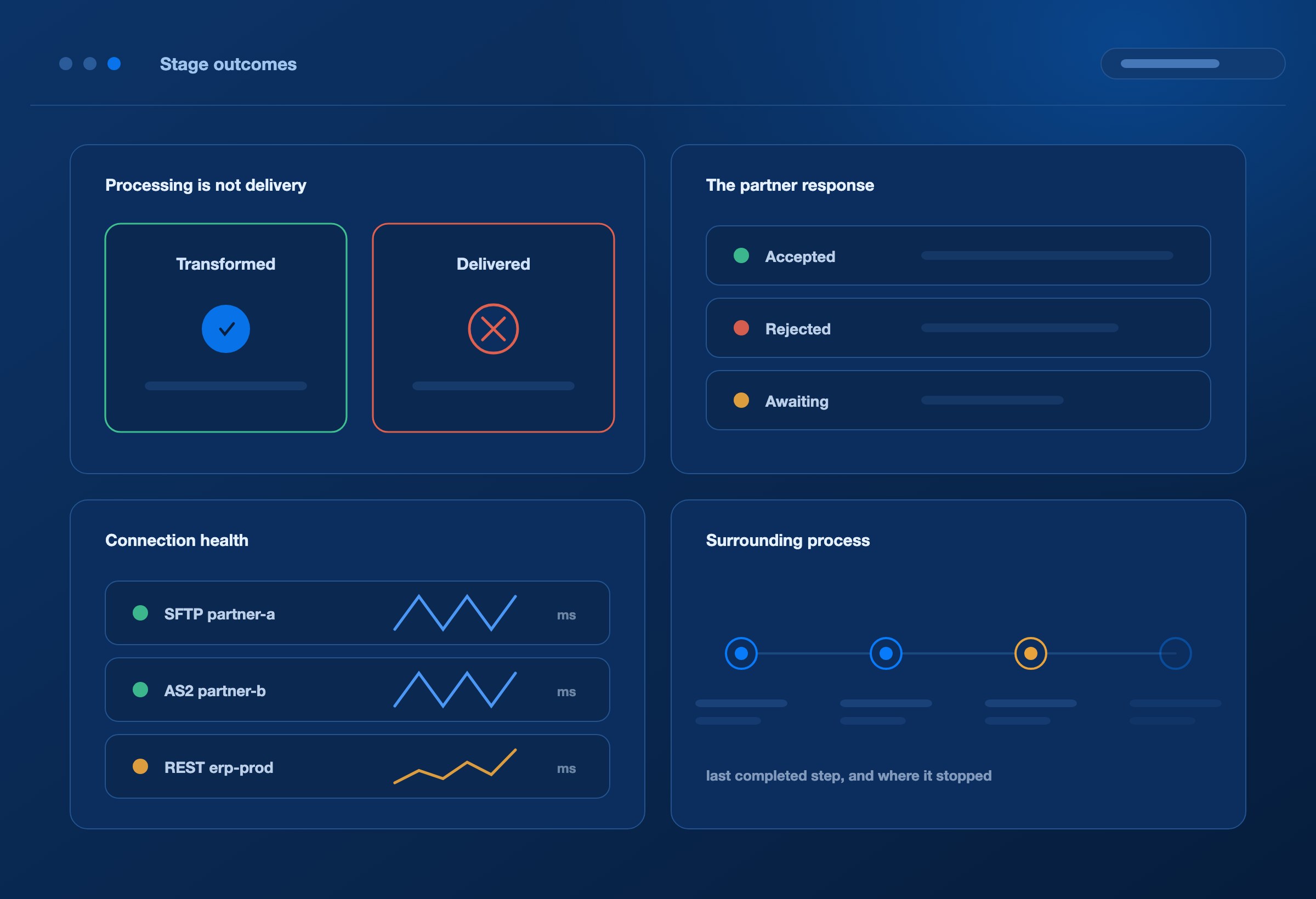
A successfully transformed document can still encounter a delivery failure. Pulse exposes the available stage outcomes so support can investigate the relevant part of the integration instead of assuming that mapping success means the exchange is complete.
See the partner response
Review functional acknowledgements alongside the associated document, where captured. An accepted or rejected acknowledgement adds important context to a delivery result and helps your team identify whether further investigation is needed.
Check connection health
Bring configured endpoint reachability checks, response times and connection alerts into the operational view. Use them alongside document evidence to investigate delivery problems and recognise connectivity issues affecting several exchanges.
Follow the surrounding process
Inspect recorded process runs and step timelines to understand where a connected workflow is active, completed or failing. Visibility follows the execution events captured by the integrated DEXA services.
PERFORMANCE ANALYSIS
Measure performance in context.
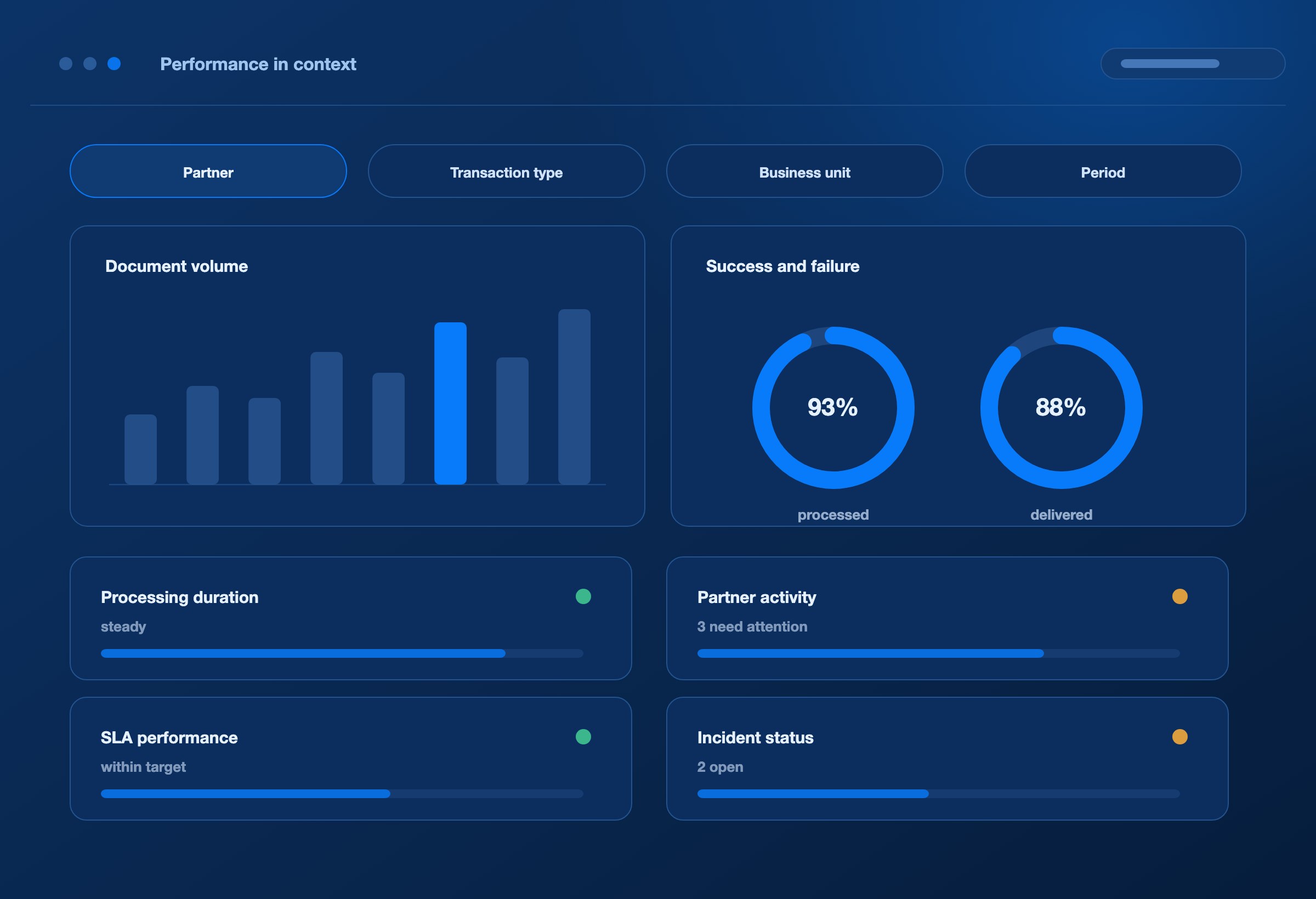
View activity by partner, transaction type, business unit and time period where those dimensions are available. Keep the environment and reporting scope visible so comparisons reflect the work your team is actually reviewing.
Measure / What it helps your team decide
Document volume
Where demand is concentrated and how traffic is changing.
Success and failure rates
Which exchanges need closer investigation.
Processing duration
Where recorded processing performance is slowing.
Partner activity
Which partner integrations need operational attention.
SLA performance
Whether observed success rates and processing times meet configured targets.
Incident status and history
Which issues remain open and what has already been done.
PATTERNS AND ANOMALIES
Turn operating patterns into useful questions.
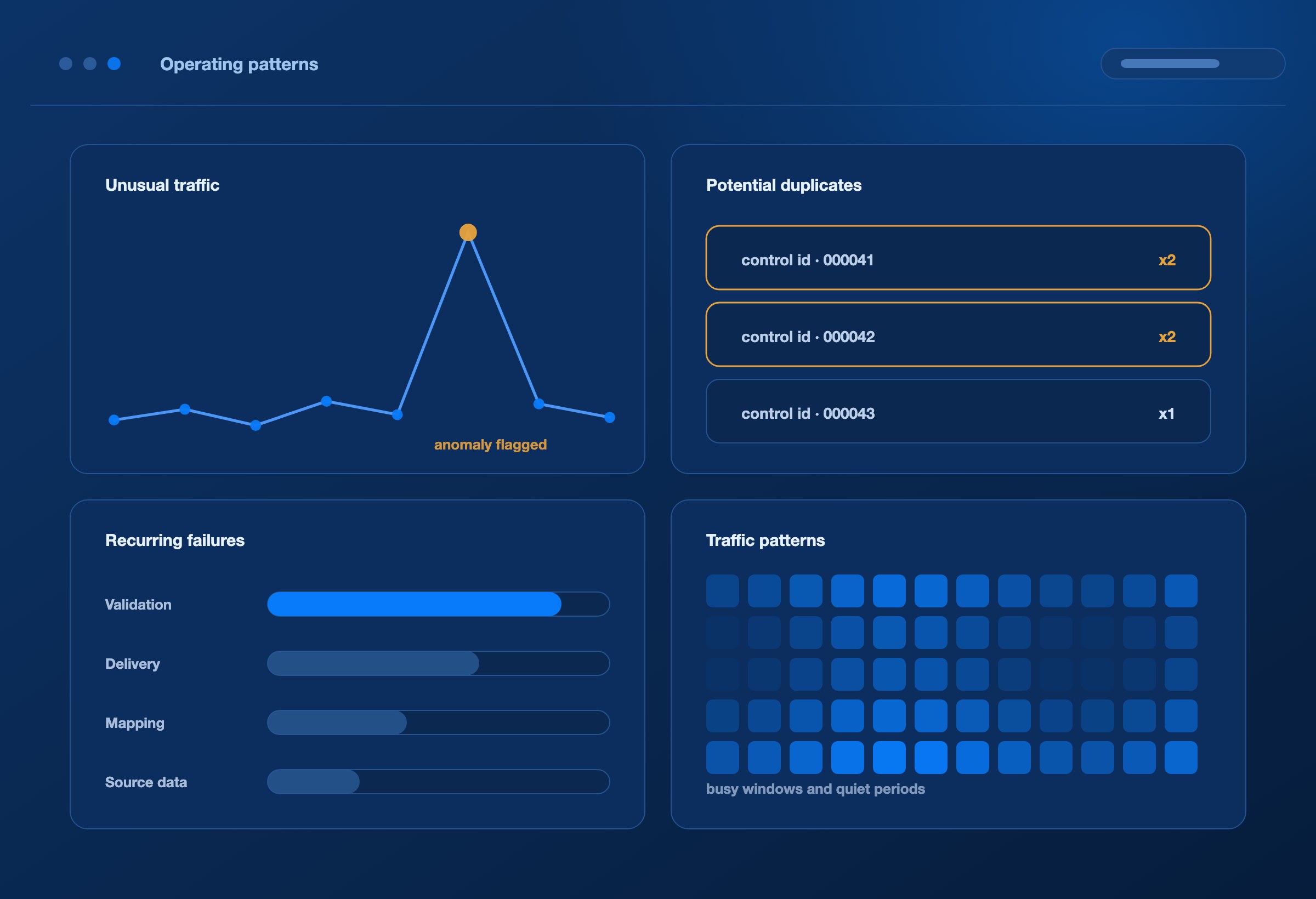
Spot unusual traffic
Volume anomaly analysis highlights activity that differs from the observed pattern. A sudden rise or drop gives the team a reason to investigate partner activity, scheduling, connectivity or upstream changes. The document evidence helps establish what actually happened.
Review potential duplicates
Identify repeated document control identifiers and inspect the associated exchanges. Review the partner, transaction and execution context to distinguish a valid resend from a possible duplicate before taking action.
Understand recurring failures
Review failure trends and the underlying documents to find issues that keep returning. Repeated validation errors, delivery failures or reprocessing can point to a requirement, map, source-data or connection issue that deserves a lasting correction.
Plan around traffic patterns
Use volume history and activity heatmaps to understand busy periods and quieter windows. These patterns help teams plan operational coverage and decide where to investigate capacity needs as partner activity grows.
SLA AND ALERTING
Keep service commitments visible.
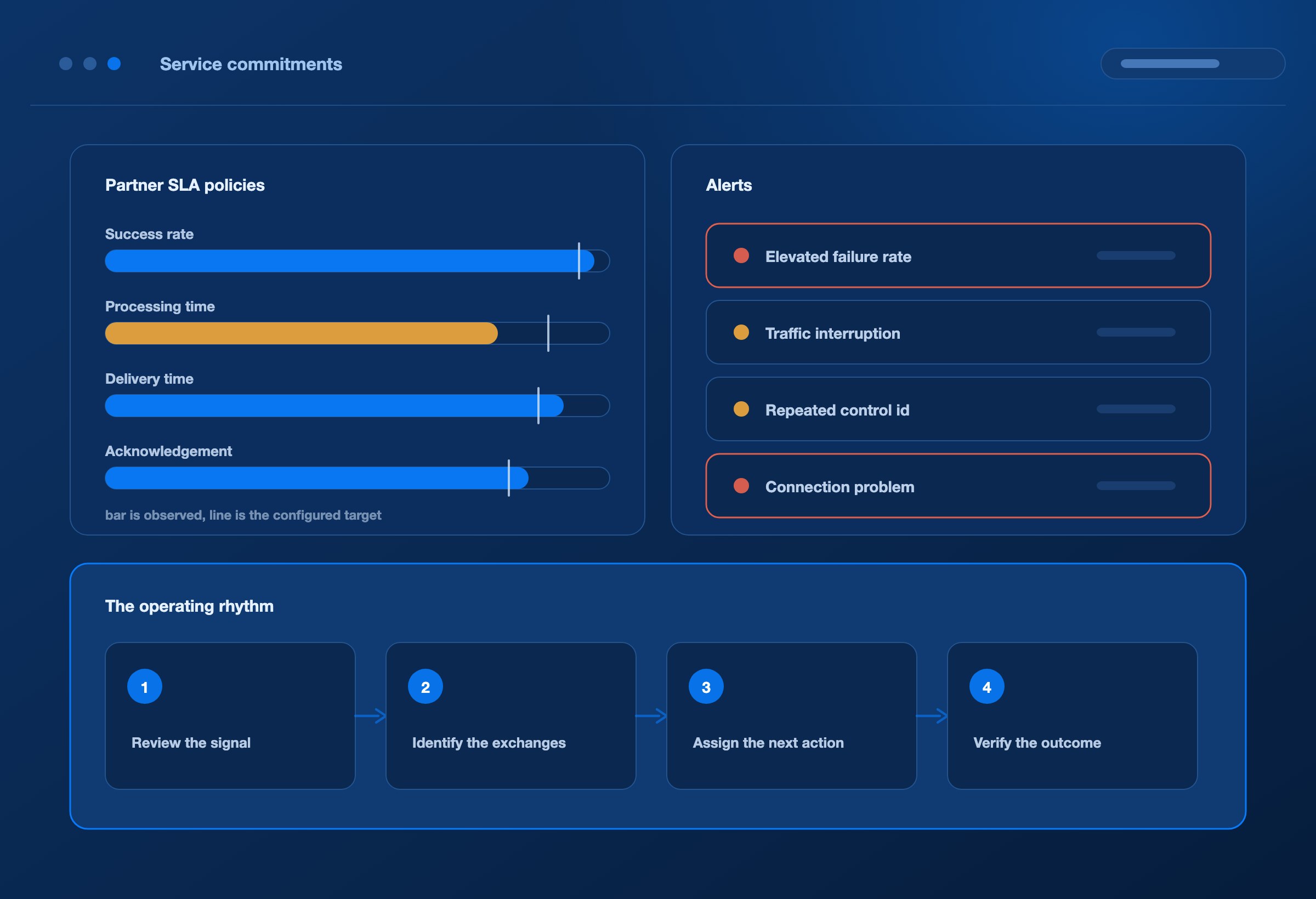
Set partner SLA policies around supported measures such as processing success rates and processing duration. Review performance against those targets and follow the history to understand whether service is improving or deteriorating.
Configured alerts draw attention to conditions such as elevated failure rates, traffic interruption, repeated control identifiers and connection problems. Teams can acknowledge alerts, assign incident ownership, record investigation notes and follow resolution progress.
This creates a practical operating rhythm: review the signal, identify the affected exchanges, assign the next action and verify the outcome. A dashboard becomes part of daily service management.
AI-ASSISTED ANALYSIS
Give your team an informed starting point.
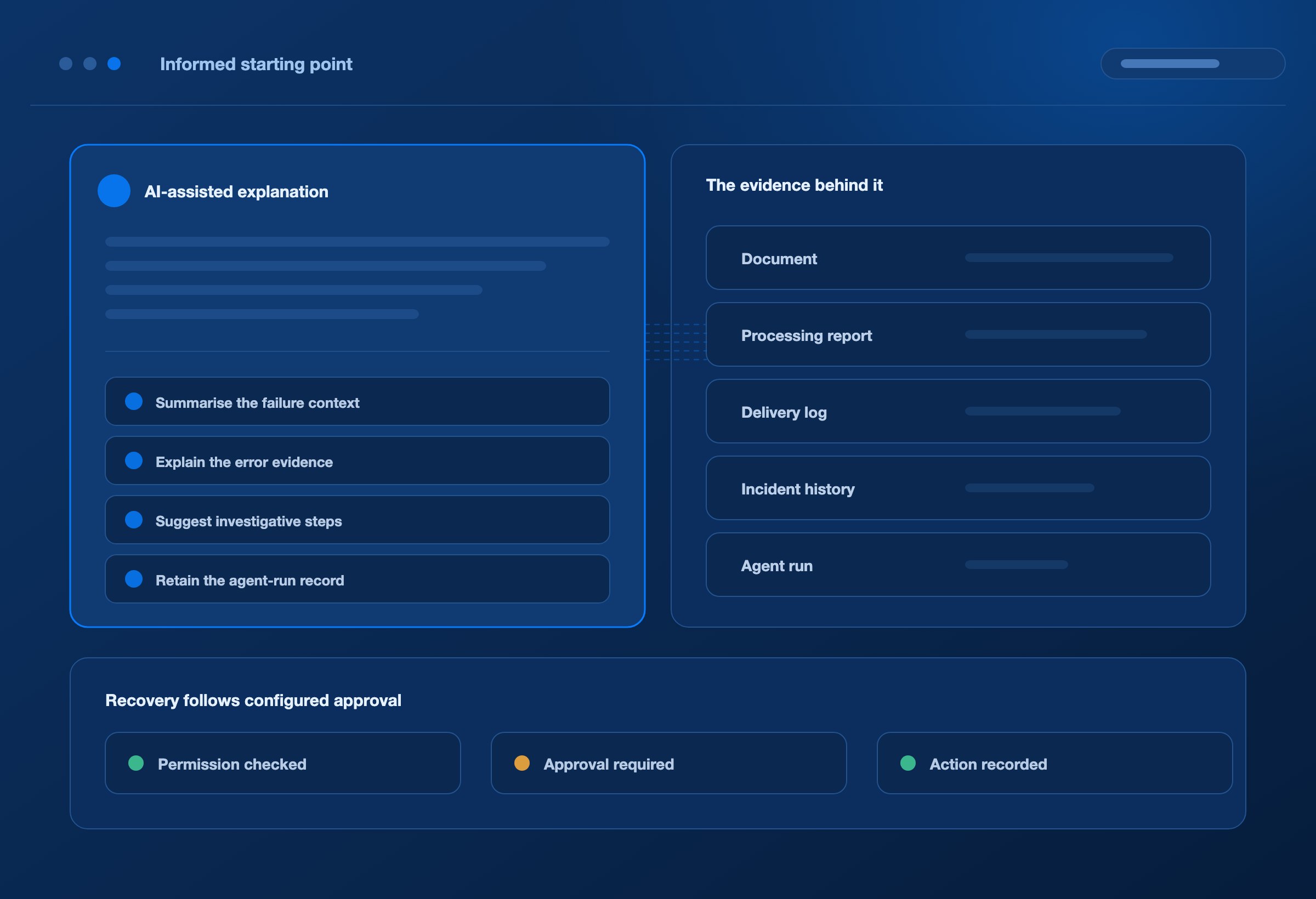
Pulse brings AI-assisted explanations into the operational view. Available document, incident and performance context helps the AI summarise the issue, explain relevant evidence and suggest where to investigate next.
DEXA Mind extends that work with AI agents that investigate failures and coordinate approved recovery. Pulse provides the workspace for reviewing what happened and following the resulting operational activity.
Summarise the available failure context for faster triage.
Explain relevant error evidence in language the team can use.
Suggest investigative steps and recovery options for review.
Retain available agent-run records alongside operational evidence.
Recommendations stay connected to the evidence your team can inspect. Recovery actions follow the configured permissions and approval requirements.
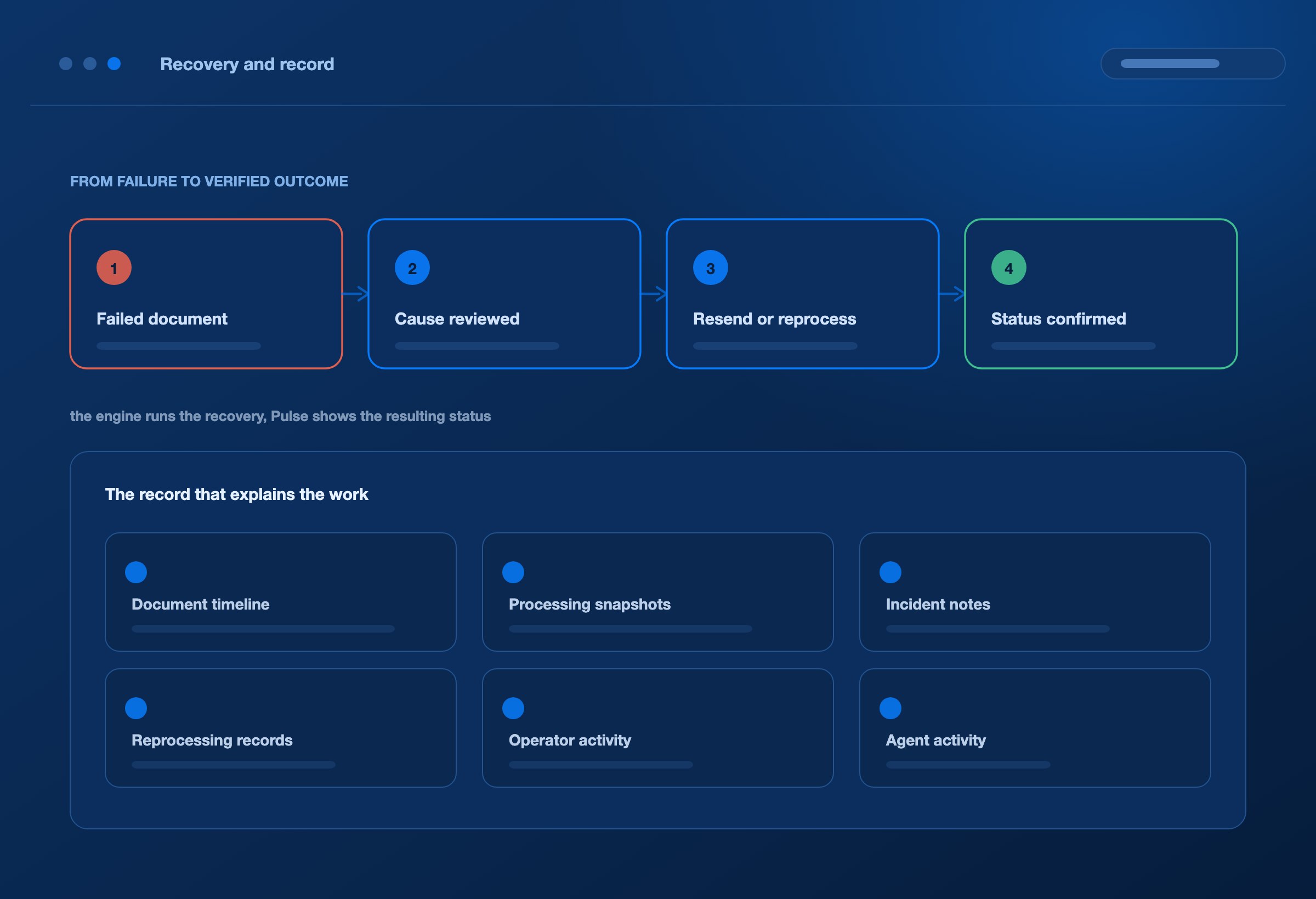
From a failed document, teams can review the cause and initiate supported resend or reprocessing actions after the underlying issue has been addressed. Pulse keeps the operational context close to the action so the team can check what happened next.
The execution engine runs the recovery. Pulse shows the resulting status and associated history, helping support confirm that the intended exchange completed before closing the incident.
Keep a record that explains the work.
Document timelines, available processing snapshots, incident notes and reprocessing records help teams reconstruct an exchange and its recovery. Recorded operator and agent activity adds context to operational reviews.
Use this evidence to answer partner queries, support internal audits and carry an investigation across shifts. Keep relevant documents and activity visible to authorised users according to access and retention settings.
IN PRACTICE
Put visibility to work in everyday operations.
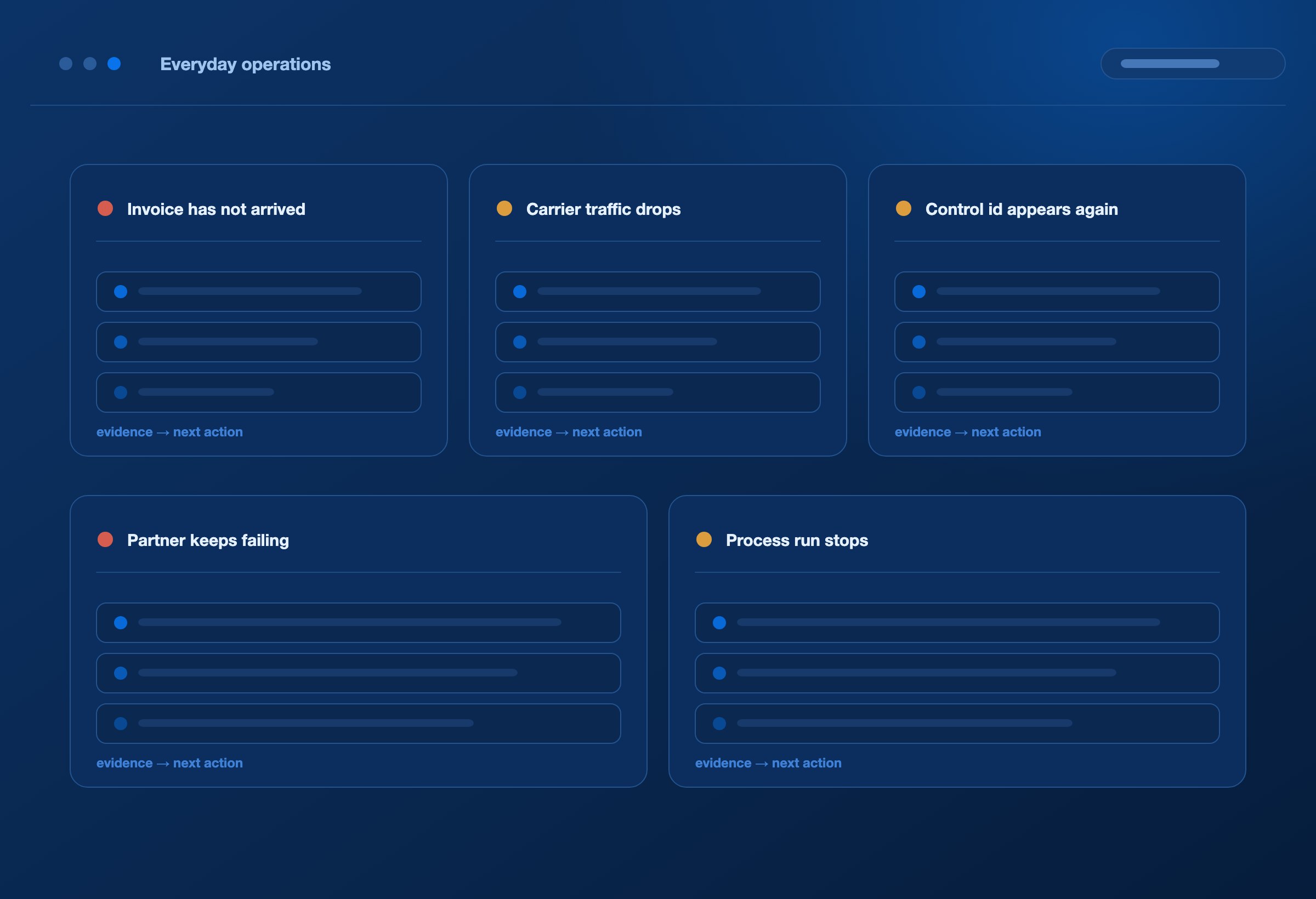
A customer says an invoice has not arrived
Find the invoice exchange and inspect transformation, delivery and acknowledgement evidence. Establish whether the next action belongs with the source data, mapping, connection or partner response. The team can give the customer a specific update and follow any required recovery.
Carrier update traffic drops unexpectedly
Review the volume pattern, recent exchanges and endpoint reachability. Determine whether the change reflects lower activity, an upstream issue or an integration failure before deciding how to respond.
The same control identifier appears again
Open the associated records and compare their execution history. Confirm whether the repeated identifier represents an intentional resend or a potential duplicate that needs investigation.
A partner integration keeps generating errors
Review the affected transaction types, failure details and incident history. Give analysts and engineers the evidence needed to correct the recurring cause, then use subsequent activity to assess the result.
A process run stops progressing
Inspect its recorded step timeline to see the last completed activity and any reported failure. Use that context to direct the investigation to the relevant process step or connected service.
WHO IT SERVES
Give each team the detail it needs.
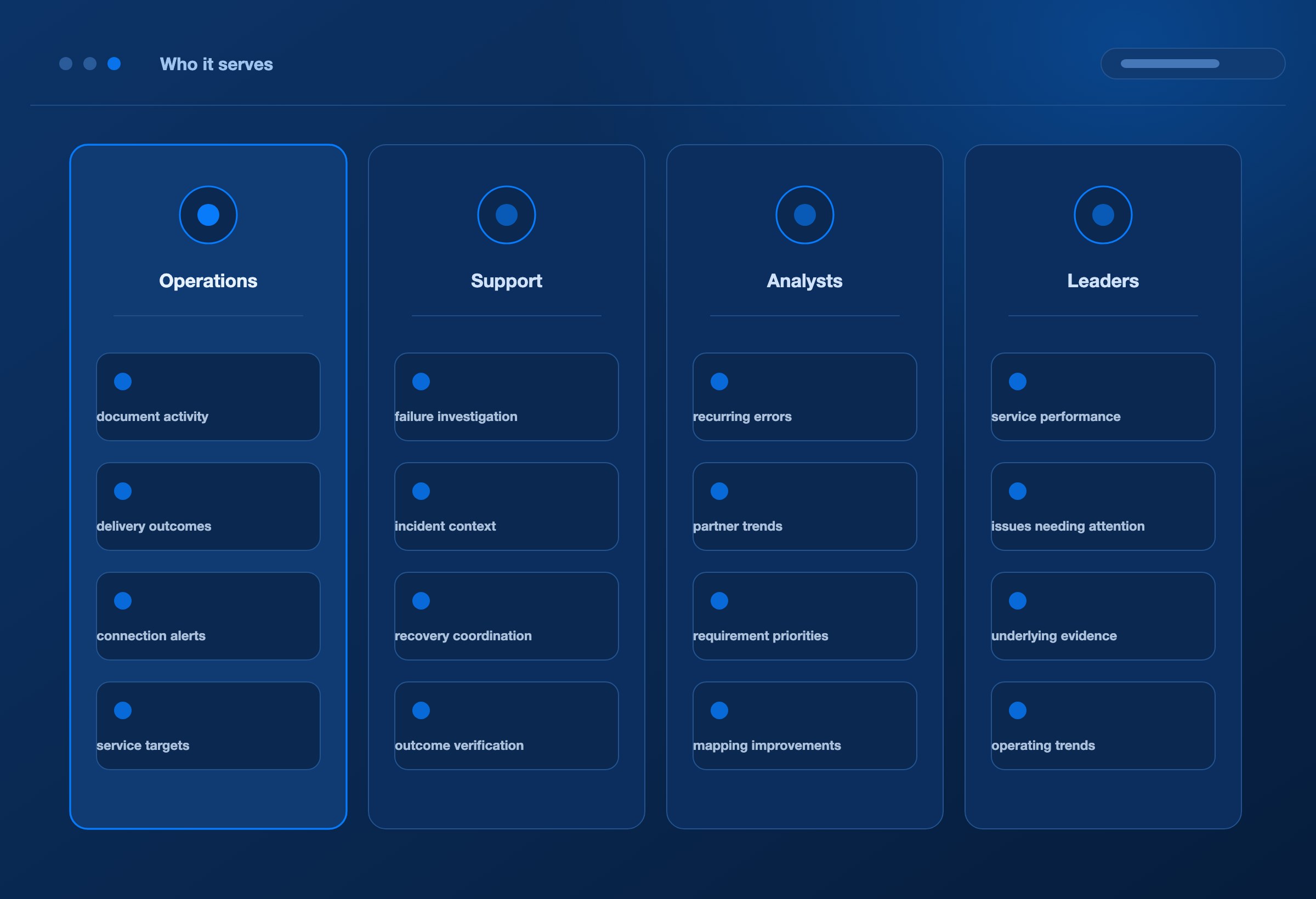
Operations teams monitor document activity, delivery outcomes, connection alerts and service targets throughout the day.
Support teams investigate failures, maintain incident context, coordinate recovery and verify the outcome.
Analysts and integration teams use recurring error evidence and partner trends to prioritise requirement and mapping improvements.
Business and technology leaders review service performance and the integration issues requiring attention, with a path into the underlying evidence when more detail is needed.
ONE PLATFORM
Visibility connected to the DEXA platform.
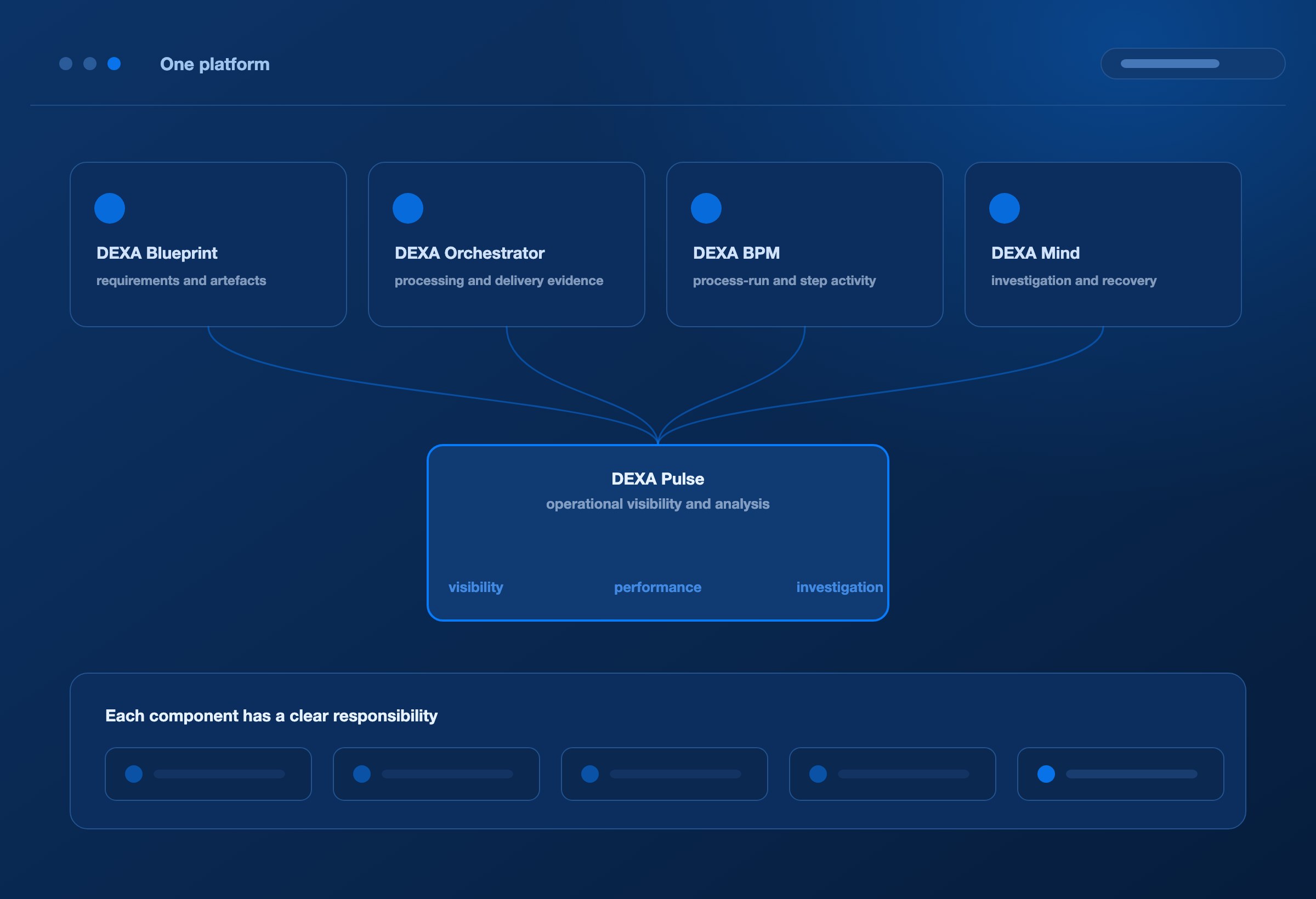
Pulse brings the operating picture together across the DEXA services connected to it. Each component has a clear responsibility.
Component / Its role in the operating picture
DEXA Blueprint
Holds partner requirements and integration artefacts; AI agents build and test maps.
DEXA Orchestrator
Executes deployed integrations and supplies processing and delivery evidence.
DEXA BPM
Coordinates business processes and provides recorded process-run and step activity.
DEXA Mind
Uses AI agents to investigate failures and coordinate approved recovery.
DEXA Pulse
Presents operational visibility, performance analysis and investigation context.
FAQ
Frequently asked questions
Does Pulse show business completion as well as document delivery?
Pulse shows the outcomes recorded by connected services. Delivery and functional acknowledgement describe stages of an exchange. Confirming fulfilment, payment or another business outcome requires the relevant application data and integration.
Can Pulse detect anomalies and duplicates?
Pulse identifies unusual volume patterns and potential duplicates based on available control identifiers. Teams inspect the associated records to confirm the cause and determine the right response.
Does Pulse automatically fix every issue?
Pulse supports investigation and operational actions. DEXA Mind provides AI-assisted investigation and approved recovery coordination, with execution handled by the relevant DEXA service.
Can Pulse provide financial or supply-chain KPIs?
Its operational data supports integration performance analysis. Measures such as revenue impact, invoice settlement or on-time delivery require the corresponding ERP, TMS or other business data to be connected and defined.
NEXT STEP
Bring your integration operations into focus.
See how DEXA Pulse turns document activity into a clear operating picture, connects exceptions to evidence and helps your team act on what needs attention.
We use cookies
We use essential cookies to run this site, and analytics cookies to understand
how it is used. Analytics stay off until you accept. See our
privacy policy.