
DEXA BPM
DEXA BPM
AI-Assisted Process Automation Across Your Enterprise
Connect your systems. Design your process. Put it to work.
DEXA BPM automates the business processes that surround your EDI — validations, approvals and exception handling — across departments and beyond your own enterprise. You design the process once, connect the systems it depends on, and give AI a defined role within it. It works on its own or alongside the other DEXA modules.
Run application-to-application workflows, operational processes, and partner exchanges independently of EDI.
WHERE A PROCESS BEGINS
Your process starts with a business need
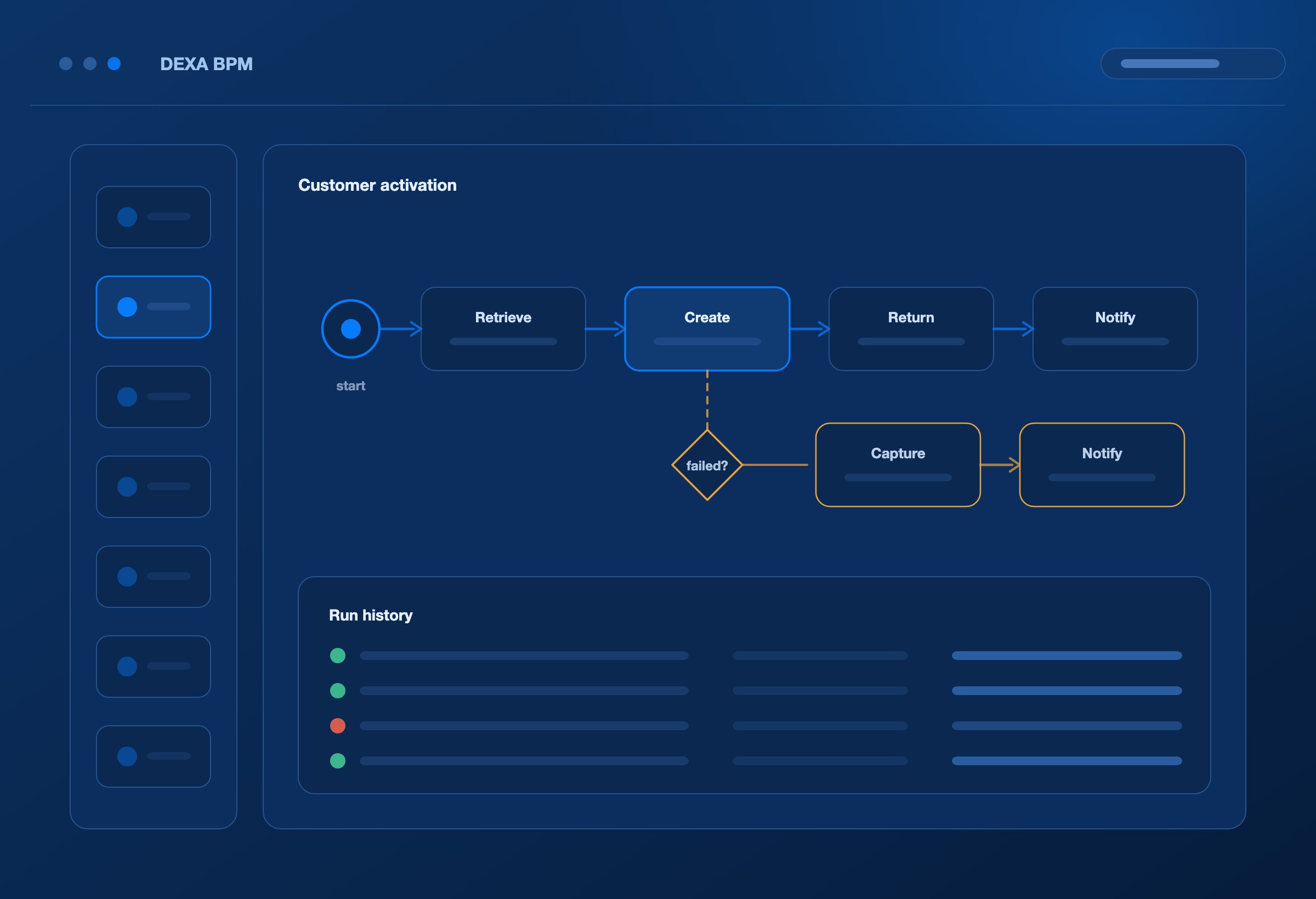
A new customer needs activating. A supplier record needs creating. A service request needs action. An invoice needs checking against information in another application.
These processes can start with an API request, a scheduled run, or a deliberate launch. They do not require an EDI document or an EDI map.
DEXA BPM provides a workspace for defining the activities, connecting them to executable tasks, and running the configured workflow. Use it independently for general process automation, or bring EDI into a process when the business requires it.
EDI is one type of activity a process can include. It does not define the limits of the platform.
AI-ASSISTED DESIGN
Turn business knowledge into a process design
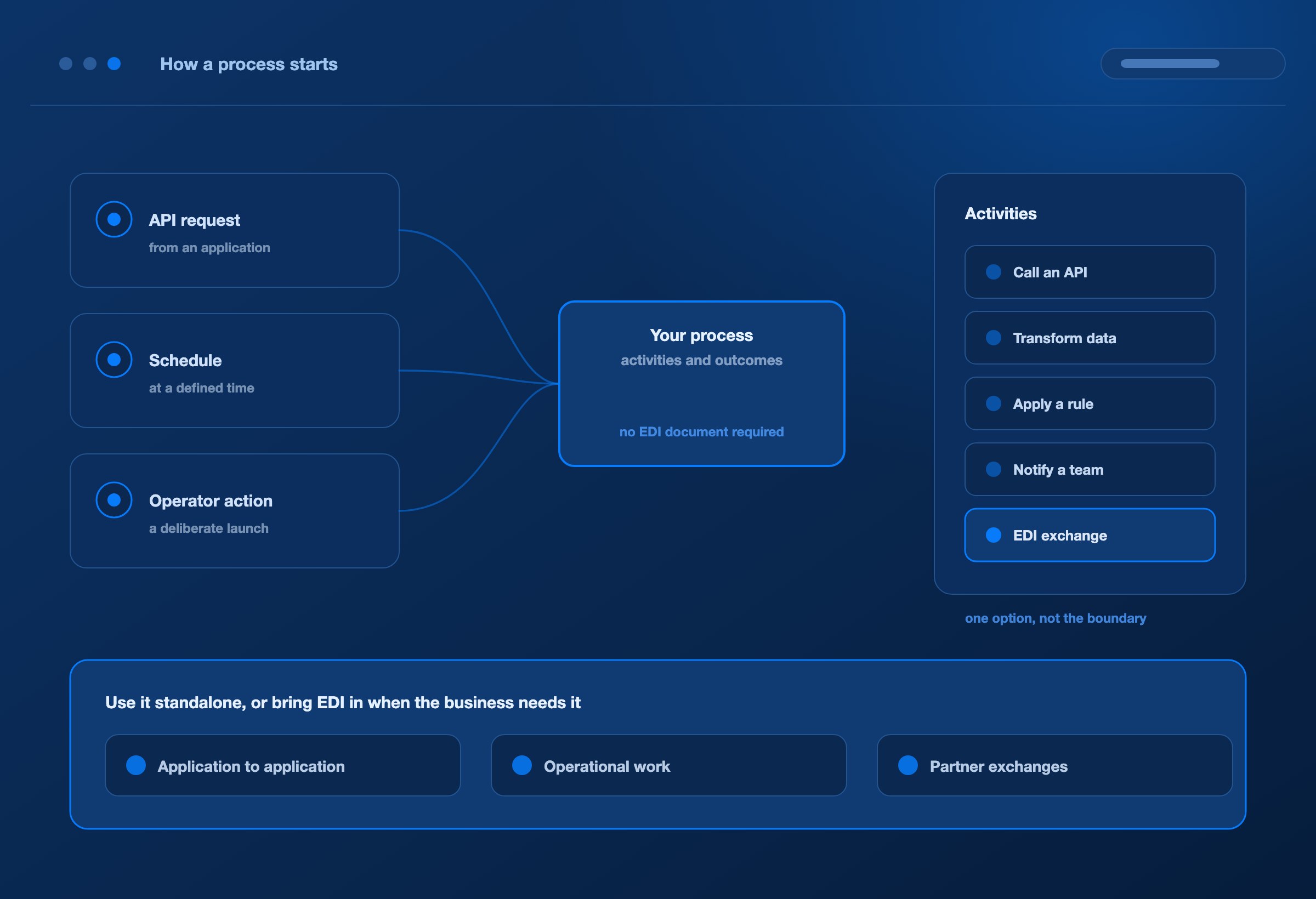
Describe what needs to happen in plain English: what starts the process, which systems participate, what each activity does, and which outcomes determine the next step.
DEXA BPM’s AI-assisted designer generates a proposed workflow for your team to inspect and refine. Use the visual workspace to organise activities, review dependencies, and connect supported tasks to the services that perform the work.
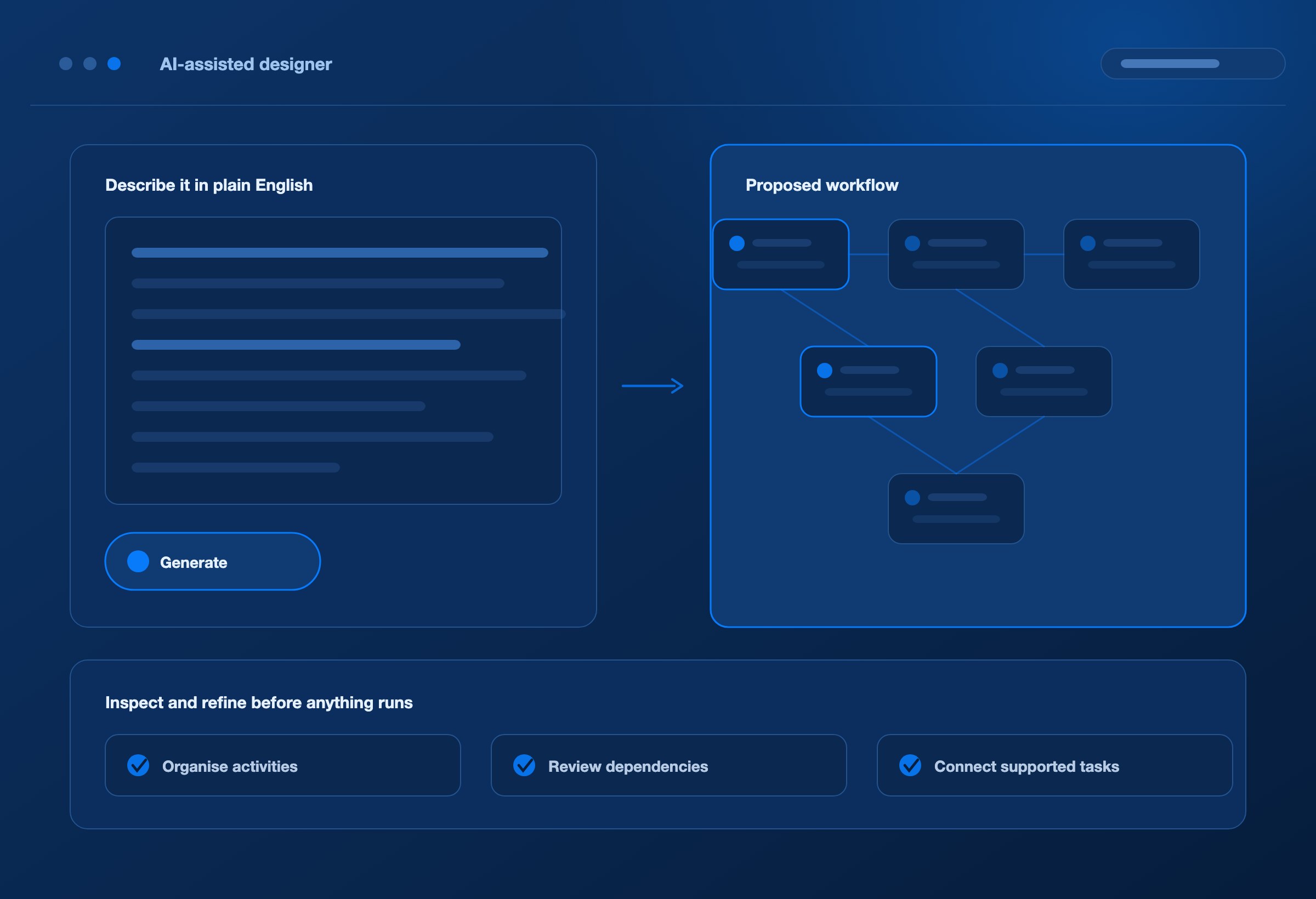
For example: “When a new customer is approved in our CRM, create the customer record in our ERP, send the account reference back to the CRM, and notify the account team. If record creation fails, capture the response and notify support.”
The process is defined around the customer’s activation. No EDI transaction is involved.
Your team defines the business intent. AI helps turn it into a structured workflow.
CONNECTED APPLICATIONS
Connect the systems your business uses
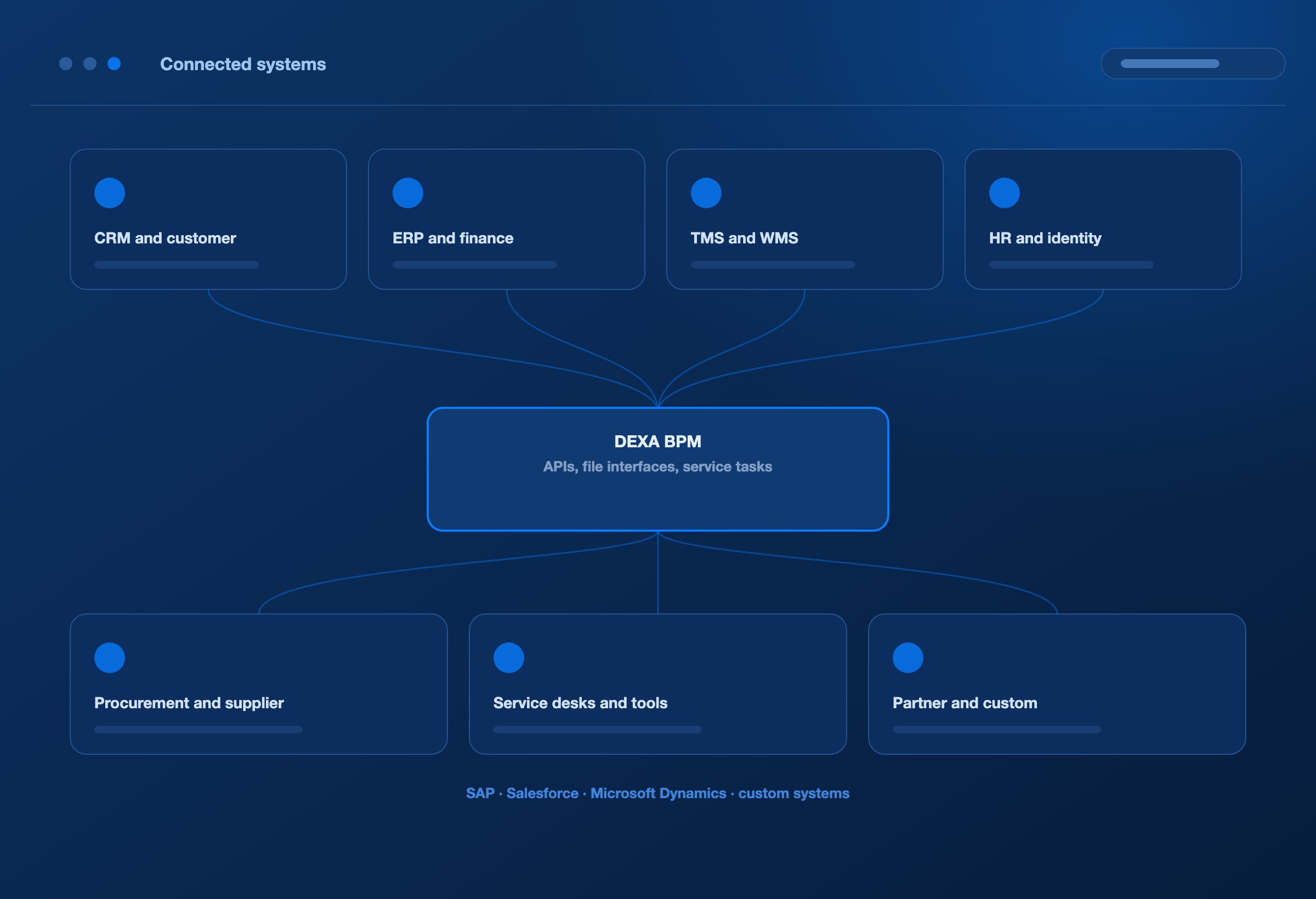
Bring cloud applications, internal services, partner platforms, and accessible on-premises systems into a common process. Connect through available APIs, file interfaces, and configured service tasks; extend the task library when a specialised integration is needed.
System area / Activities a workflow can connect
CRM and customer platforms
Retrieve customer details, create service requests, and update account or activity records.
ERP and finance applications
Create business records, retrieve reference data, submit transactions, and inspect application responses.
TMS and WMS
Exchange shipment and warehouse information and coordinate updates with connected applications.
HR and identity services
Coordinate employee information, account requests, and onboarding activities through authorised interfaces.
Procurement and supplier systems
Exchange supplier information, purchasing requests, and fulfilment updates.
Service desks and operational tools
Create incidents, retrieve context, update work records, and notify the responsible team.
Partner and custom applications
Invoke organisation-specific services and exchange information across enterprise boundaries.
Applications such as SAP, Salesforce, Microsoft Dynamics, and custom systems can participate through the interfaces available in the customer’s environment. Authentication, permissions, data mappings, and endpoint behaviour are configured for each integration.
Choose the applications your process needs. Connect the work between them.
FROM DESIGN TO EXECUTION
Define the workflow and run the work
Start from the right trigger: Launch a configured process through an API, a schedule, or an operator action. Integrate external application events through the appropriate calling service.
Put activities in the right order: Define task dependencies and pass the results of completed activities into the steps that follow.
Apply the business conditions: Use configured rules to determine whether an activity should run and which processing route applies.
Connect actions to services: Retrieve information, submit requests, transform data, invoke supported tasks, and send notifications through the relevant interfaces.
Check the execution result: Inspect task results, errors, and run history. Validate both the workflow and its application interactions before putting a new process into production.
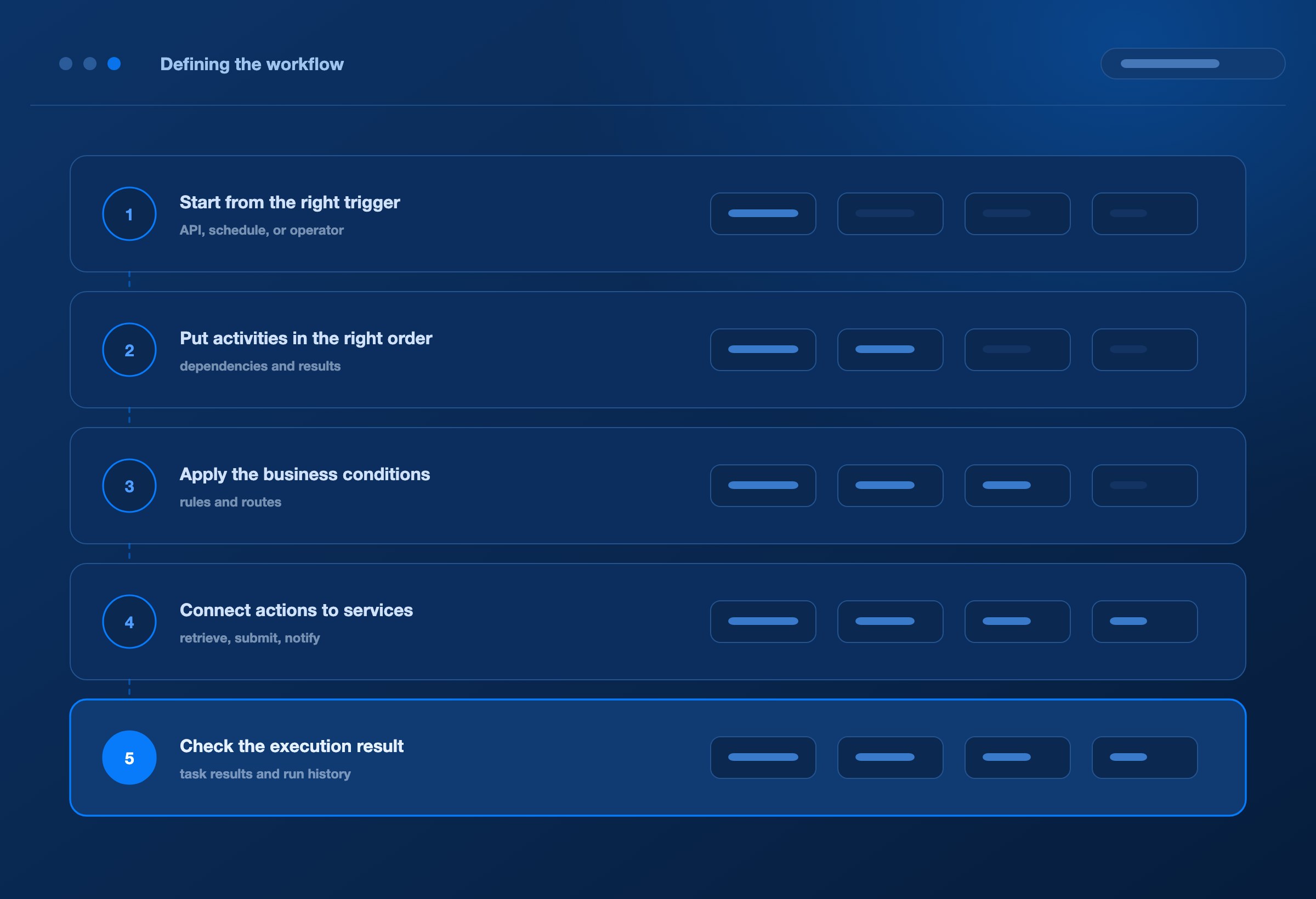
A clear process connects the trigger to the work required for its outcome.
ACROSS DEPARTMENTS
Automate work across departments
These examples illustrate processes to design and implement with DEXA BPM. Each requires the relevant application interfaces, permissions, business rules, and testing. They are workflow patterns rather than preconfigured application packages; advanced waiting, recovery, or case handling may require additional implementation.
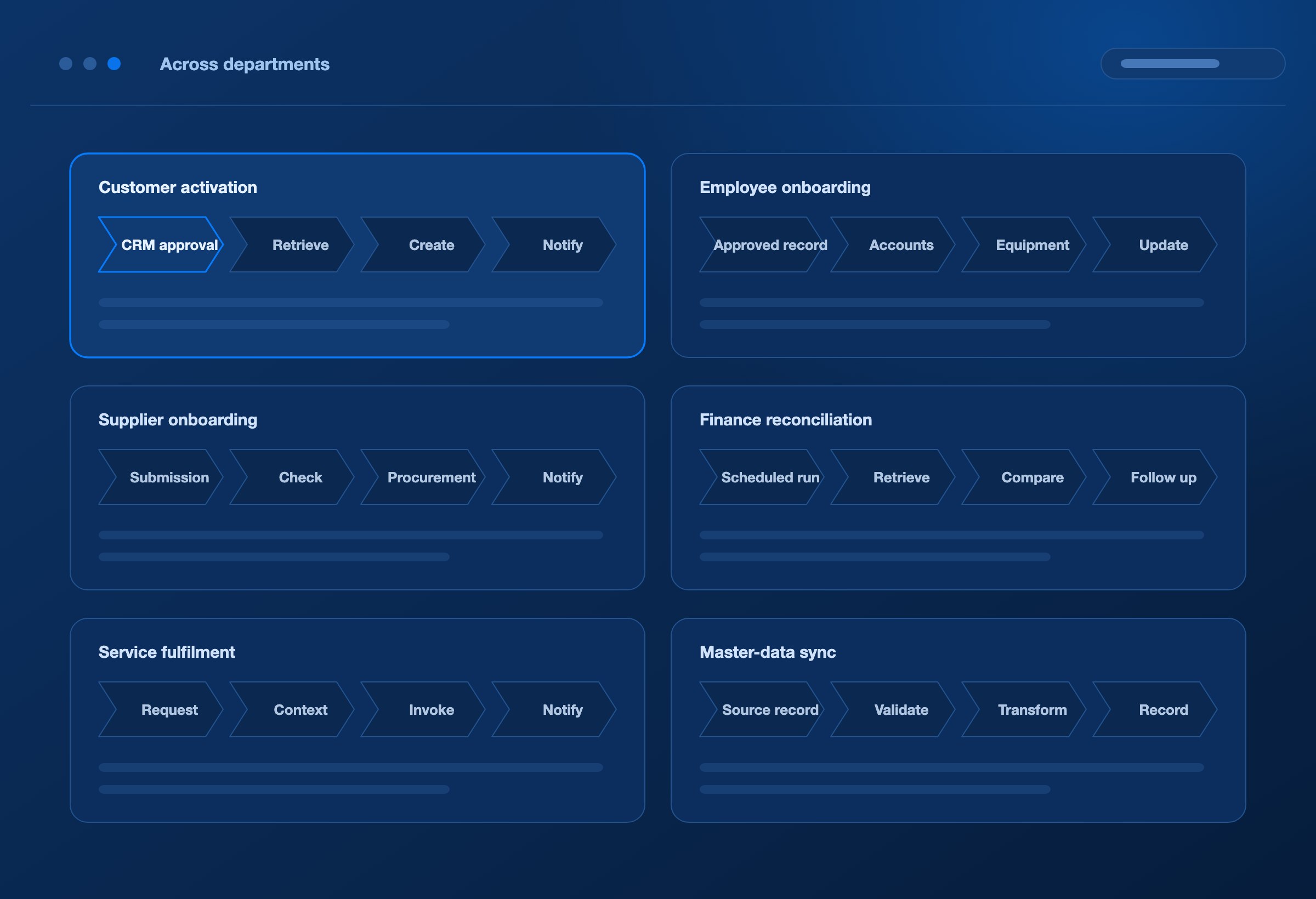
Customer activation
CRM approval → Retrieve customer details → Create ERP account → Return account reference → Notify account team
Connect sales and operations around a shared customer record. Reduce repeated entry and make failures in account creation visible to the team that can resolve them.
Employee onboarding
Approved employee record → Request accounts → Create equipment request → Update onboarding record → Send completion update
Coordinate HR, identity, and service-management systems through authorised interfaces. Define prerequisites so activities happen in the appropriate order, with access governed by the organisation’s identity policies.
Supplier onboarding
Supplier submission → Check required information → Create procurement record → Update finance system → Notify supplier-management team
Bring supplier information into the applications that use it. Include the organisation’s validation and approval requirements in the implementation.
Finance reconciliation
Scheduled run → Retrieve records from two systems → Apply comparison rules → Record differences → Create follow-up work
Reduce the manual effort of collecting and comparing information. The finance team defines the matching rules, materiality thresholds, and handling of discrepancies.
Service fulfilment
Request received → Retrieve account or asset context → Invoke the required service → Update request status → Notify the requester
Connect service intake with the systems responsible for completing the request. Preserve the application response so failures can be investigated without reconstructing the entire interaction.
Master-data synchronisation
Source record selected → Validate fields → Transform for each destination → Update connected systems → Record outcomes
Coordinate customer, supplier, product, or location updates across applications. Establish a clear system of record and conflict rules for the information being synchronised.
ACROSS ENTERPRISES
Carry the process across enterprise boundaries
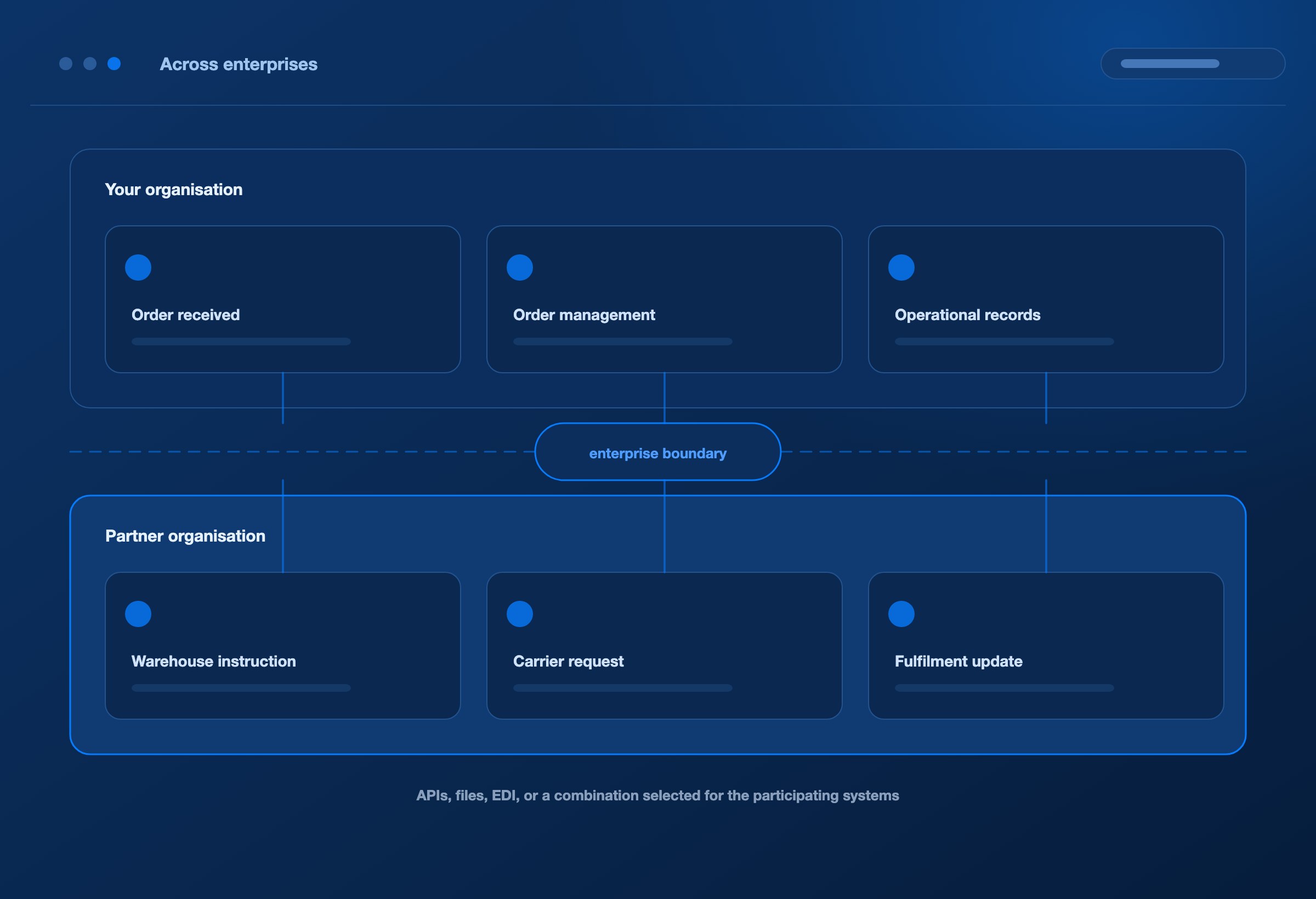
Order fulfilment
Order received → Submit to order management → Pass warehouse instructions → Incorporate fulfilment updates → Notify the customer
Connect the customer, order-management application, warehouse, and service team. Exchanges may use APIs, files, EDI, or a combination selected for the participating systems.
Transportation coordination
Shipment request → Retrieve TMS information → Send the partner request → Process the response → Update operational records
Connect shippers, logistics providers, and carriers around a defined transportation process. Operational decisions depend on the capacity, pricing, and service rules held in the relevant business systems.
Warehouse and inventory updates
Warehouse update → Validate item and location → Update ERP or planning system → Record differences → Notify the responsible function
Reduce the gap between warehouse activity and the information available to other teams. Support API or file exchanges without requiring an EDI transaction.
Invoice processing
Invoice received → Check references → Retrieve supporting records → Apply comparison rules → Submit or route for investigation
Connect billing with the information needed by finance. Distinguish a successful submission from the application’s acceptance of the invoice.
Partner changes and application migration
Change defined → Update configuration → Validate the revised interactions → Confirm readiness → Activate the agreed change
Use a shared process definition to coordinate activities across application owners, integration teams, and trading partners. Retain the business requirement as the reference for the change.
Business crosses enterprise boundaries. A process can connect the work on both sides.
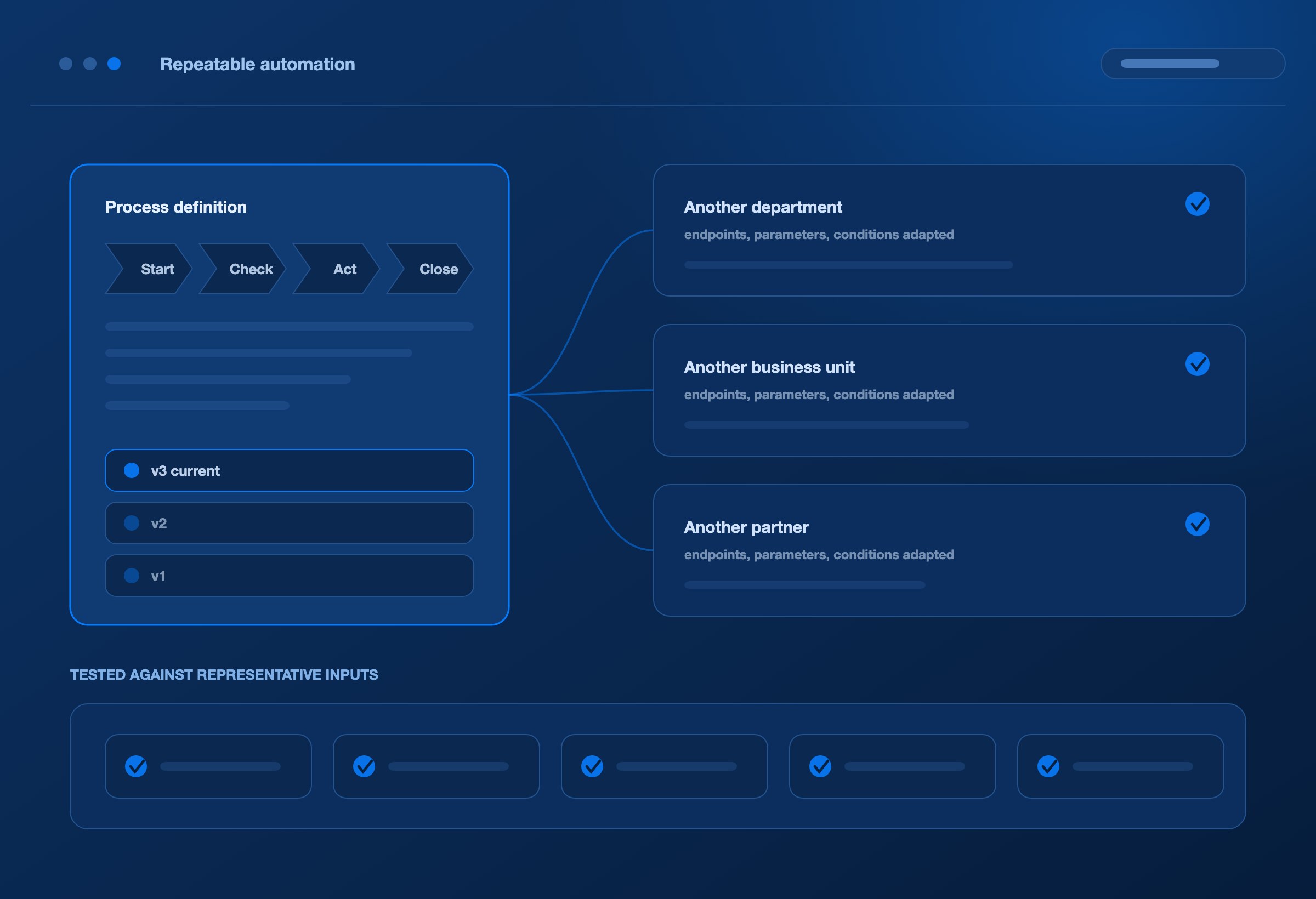
REPEATABLE AUTOMATION
Build repeatable automation around your business rules
Create reusable process definitions for activities that recur across departments, customers, suppliers, or business units. Adapt the relevant endpoints, parameters, conditions, and task configuration for each implementation.
Use a common definition to make the intended work understandable. Maintain versions as requirements evolve, and test revised workflows against representative inputs and application responses.
This reduces the need to rediscover the same process whenever a new team, system, or partner is introduced.
Capture the process once. Give the next implementation a stronger starting point.
AI IN THE PROCESS
Give AI a defined role in the process
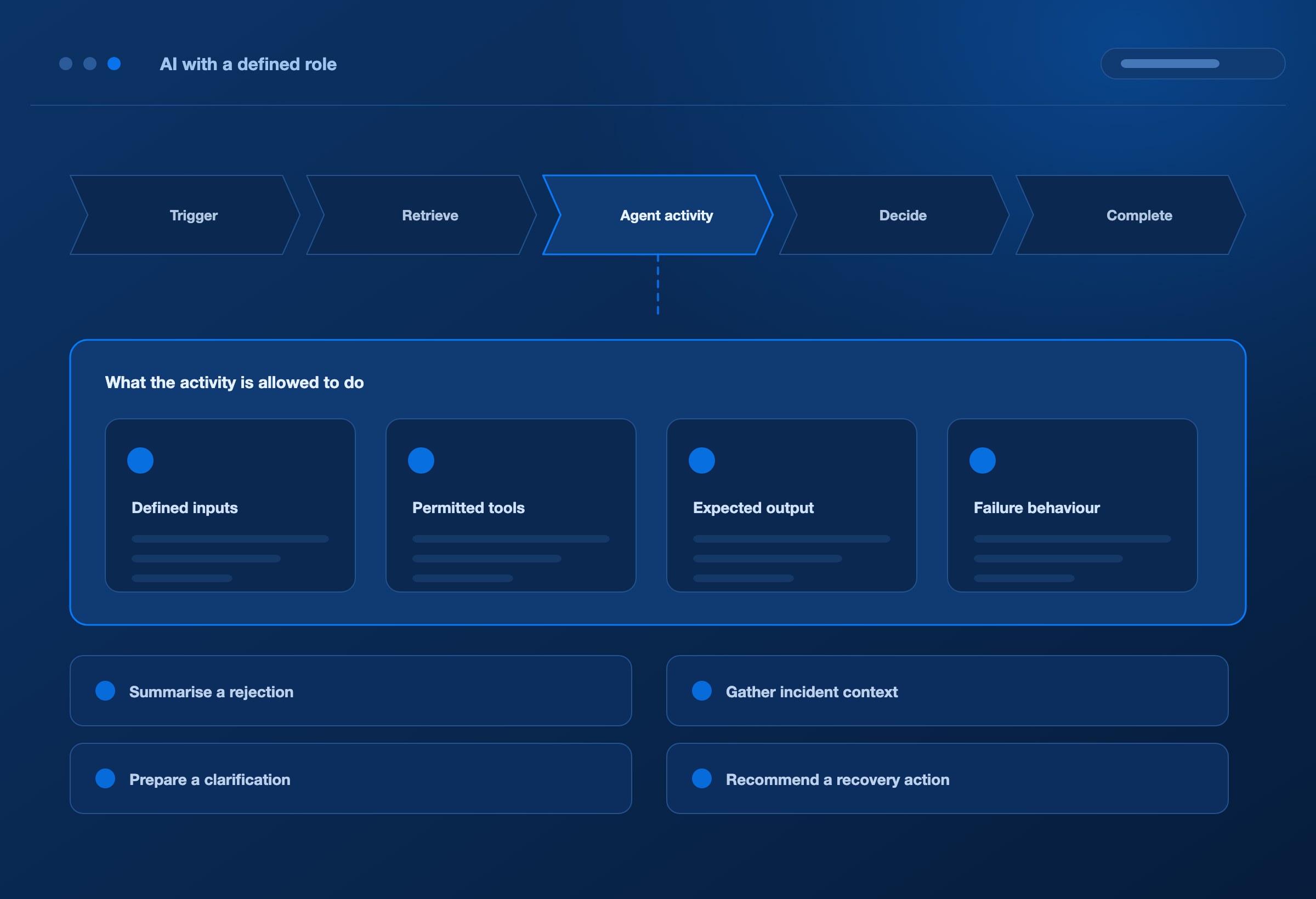
AI-assisted design helps teams create and refine workflows. Agent-assisted execution extends that idea by connecting a specific process activity to an authorised agent service.
Examples to scope and validate include summarising an application rejection, gathering incident context, preparing a clarification request, or recommending a recovery action from an established procedure.
Define the agent’s inputs, permitted tools, expected output, and failure behaviour. Use the result in the workflow only under the conditions established for that activity.
Within the DEXA ecosystem, DEXA Mind provides investigation and approved recovery capabilities that can contribute to these operational patterns.
Process autonomy grows from explicit rules, executable activities, and outcomes that can be checked.
EXECUTION EVIDENCE
See what ran and what needs attention
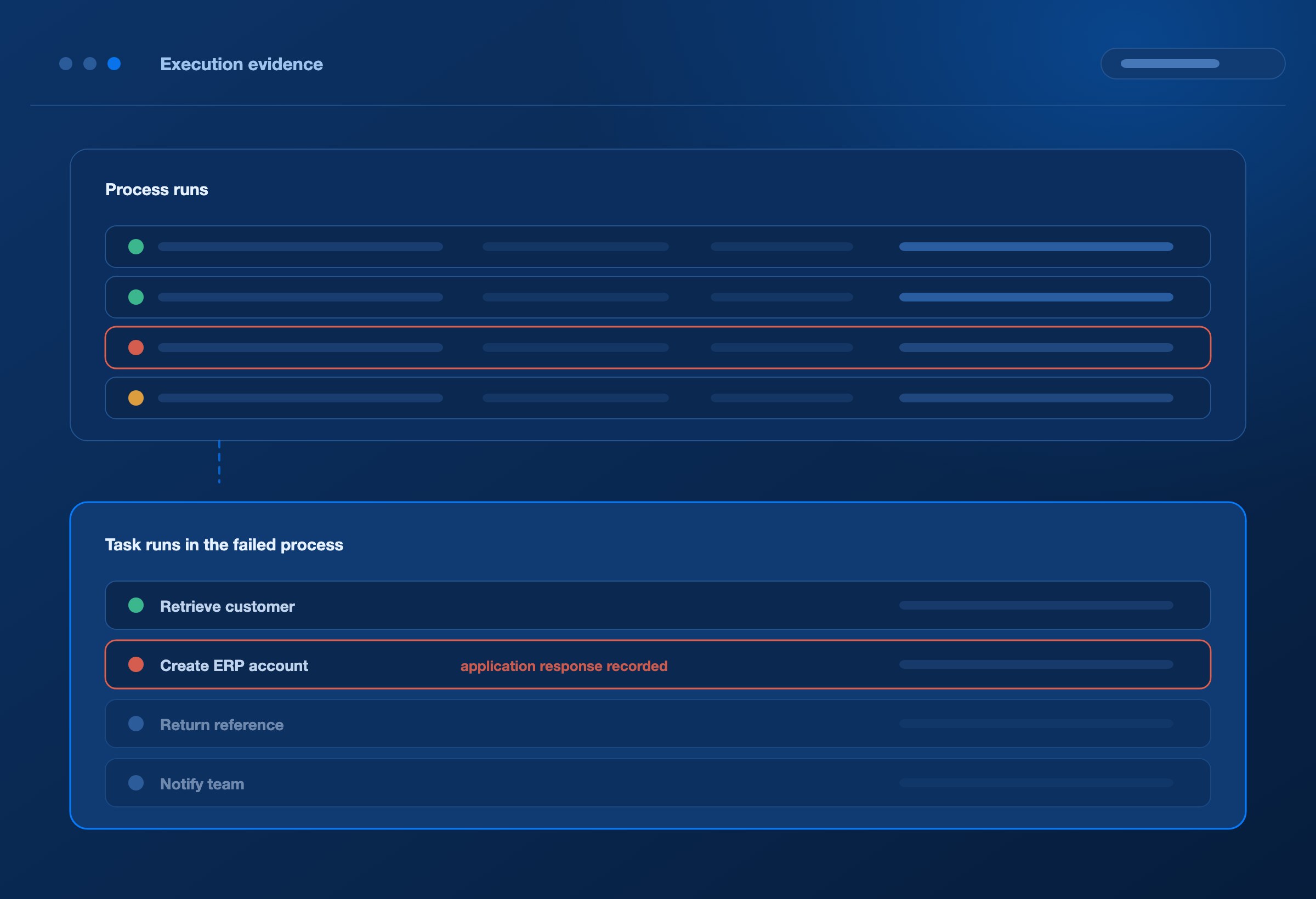
DEXA BPM maintains process-run and task-run records so teams can inspect execution status, results, errors, and history.
Use that evidence to understand which activity completed, what a connected application returned, where execution failed, and which dependency is preventing progress.
For processes that include EDI, relate these records to document-processing evidence from DEXA Orchestrator and operational visibility in DEXA Pulse as the integrations are configured.
Keep process visibility connected to the work actually performed.
MEASURING THE OUTCOME
Measure the effort between request and outcome
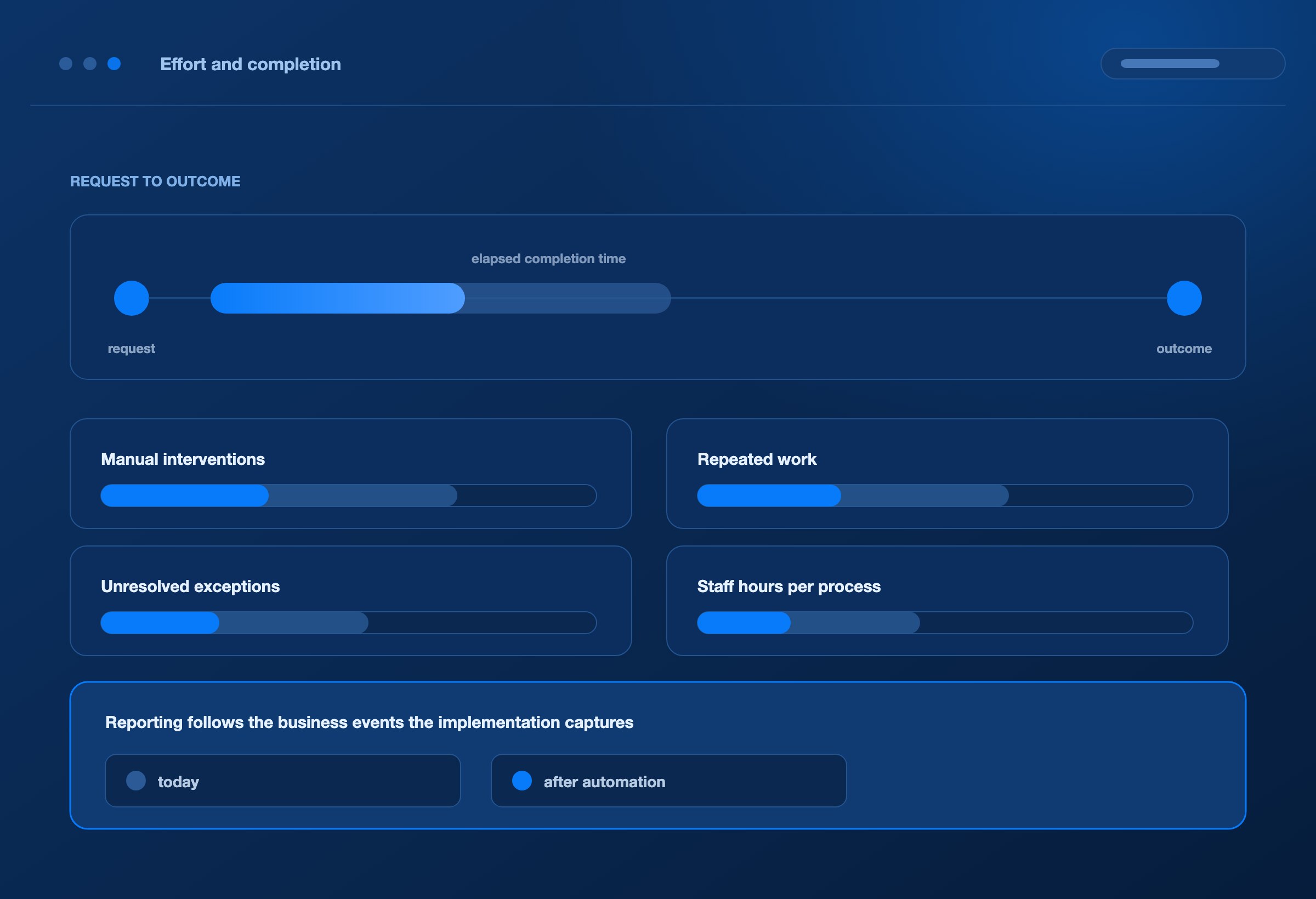
Evaluate automation against the complete workflow. Useful measures include elapsed completion time, manual interventions, repeated work, unresolved exceptions, and staff hours per completed process.
For a customer-activation workflow, measure the time between approval and a usable account. For reconciliation, measure the effort spent collecting records and resolving differences. For partner processes, measure the waiting between organisations as well as the work inside each system.
Reporting depends on the business events and data captured by the implementation.
Focus on faster completion and lower operating effort, supported by evidence from the process.
ONE PLATFORM
Use DEXA BPM independently or within the DEXA platform
Standalone process automation
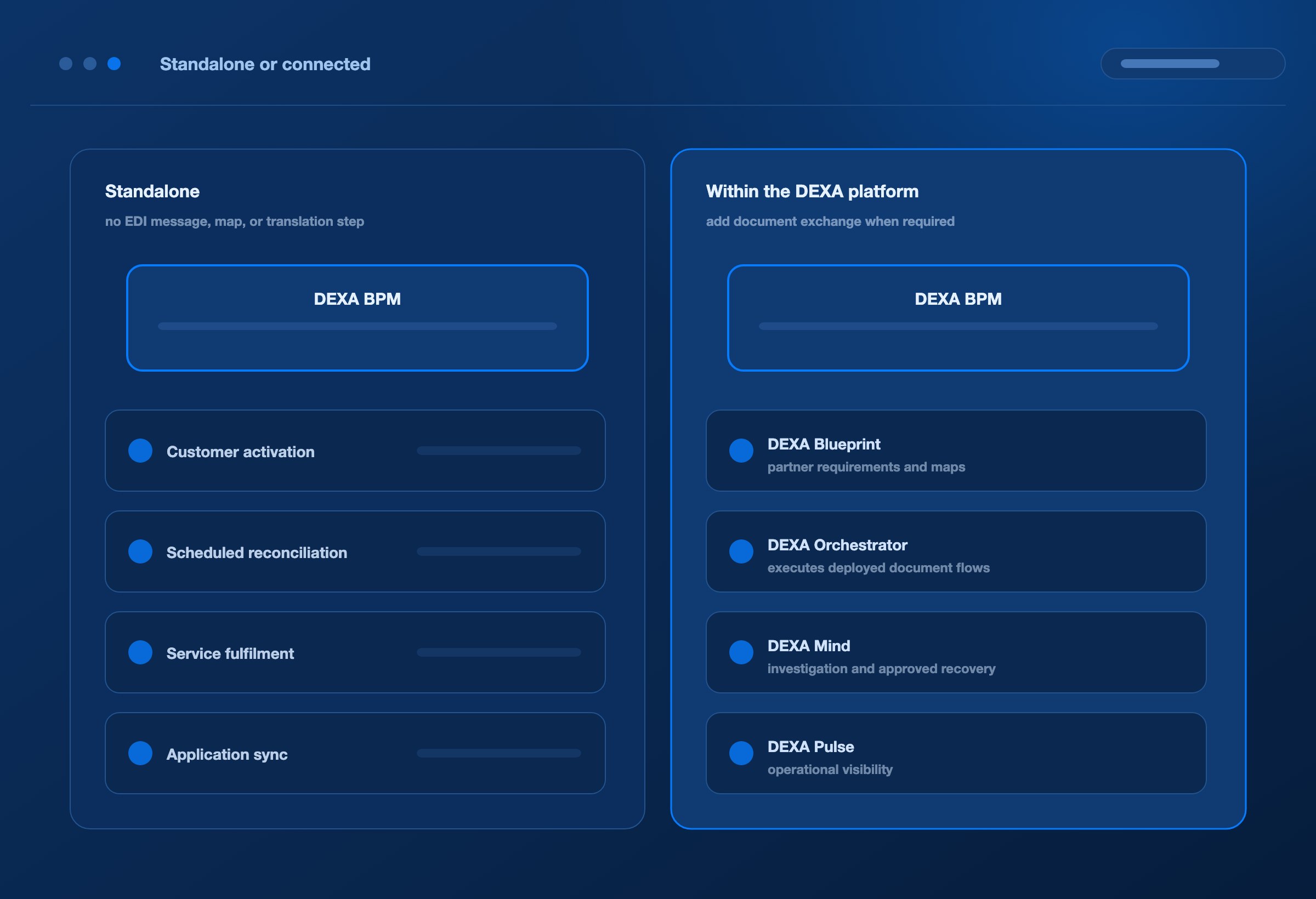
Connect your existing applications and run configured business workflows without an EDI message, EDI map, or DEXA Orchestrator translation step. Customer activation, scheduled reconciliation, service fulfilment, and application synchronisation can be entirely API-based.
Processes that include EDI
Add document exchange and transformation when required. DEXA Blueprint defines partner requirements and supports map generation; DEXA Orchestrator executes deployed maps and document flows; DEXA BPM connects those activities with the wider business process.
DEXA Mind and DEXA Pulse extend the platform with operational investigation and visibility where configured.
Begin with the business process. Bring in the DEXA capabilities it needs.
FAQ
Frequently asked questions
Do we need EDI to use DEXA BPM?
No. DEXA BPM can support standalone process automation using application APIs and configured service tasks. EDI is an optional part of a workflow.
Can we connect our existing systems?
Connect through the APIs, file interfaces, or service adapters available for each application. A specialised or closed interface may require a custom integration and the relevant access permissions.
Can we create our own processes?
Yes. Define the activities, dependencies, conditions, and connected services around your requirements. The executable scope depends on the available task handlers and application interfaces; complex workflow behaviour must be validated for the intended use case.
How does AI help?
AI assists with drafting the process from a business description. Runtime agent activities are separate integrations with defined inputs, tools, permissions, and expected results.
Can the same process include both API and EDI activities?
Yes. Design the workflow around the business outcome and include the relevant application interactions and DEXA document-processing activities where needed.
NEXT STEP
Bring your process and the systems behind it
Explore how DEXA BPM can connect your applications, turn business requirements into a workflow, and automate the activities needed to reach your next business outcome.
